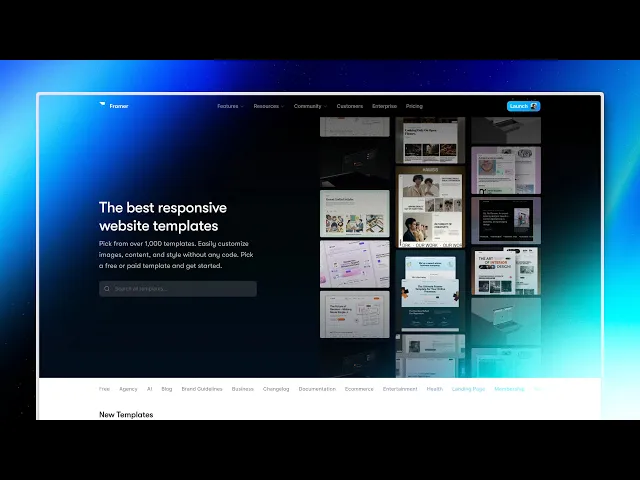
Small Business Website Templates That Actually Grow Your Business
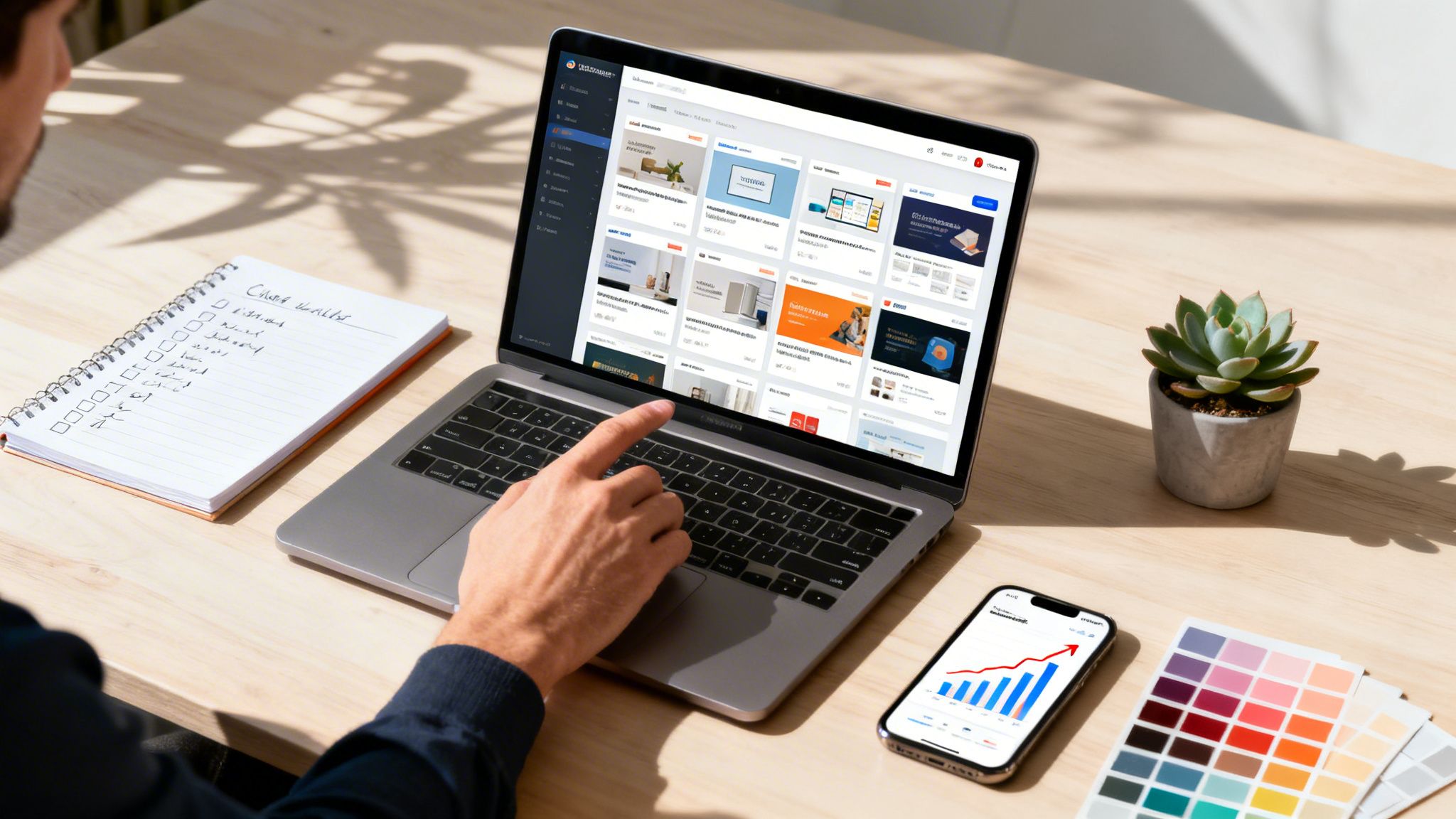
Choosing the right small business website template is the fastest way to get a professional, high-performing site live. It’s the strategic move that lets you skip months of expensive development and launch an agency-quality site in days, not months. For most small businesses, this is the smartest way to balance speed, quality, and an immediate return on your investment.
Why A Premium Template Beats a Custom Build
Your website is your best salesperson, period. And in a market where first impressions are everything, the old "template vs. custom" debate is over. The choice is pretty clear: spend tens of thousands of dollars and wait months for a custom site, or launch a professionally designed, conversion-focused website in a few days using a premium template.
The old-school thinking was that a custom-coded site is always better, but that ignores how business actually works today. Speed is your biggest advantage. While a competitor’s custom project is stuck in development, you could already be capturing leads, making sales, and building your brand.
The Hidden Cost of "Free" and Building From Scratch
Let's be clear—a generic, free template will cost you more in the long run. They often bleed money through a terrible user experience, slow load times, and a brand image that looks cheap. These templates are usually bloated with junk code and lack the strategic design needed to turn visitors into actual customers.
Building from scratch is even riskier. It’s a huge gamble with your time and money, and most small businesses just can't afford to take that chance. A professional template isn't just about avoiding these risks; it's about leveraging expert design for immediate business gains.
A premium template isn’t a shortcut; it’s a launchpad. It’s about starting from a position of strength, not from zero.
This is especially true when you look at the numbers. Data from 2023 shows that 73% of U.S. small businesses already have a website, and another 23.5% are planning to launch one soon. You can't afford to wait. A premium template is the fastest way to join the game with a site that wins.
The Agency-Level Advantage From Day One
This is where expertly built small business website templates, like the ones we craft at FramerDevs, really change things. As specialists in premium Framer templates, we build our templates for specific business goals, not just to look pretty. Each one is a complete system designed for performance, built with clean code, and optimized for conversions right out of the box.
Think of it as getting an agency-level advantage from the moment you start. You get:
Speed to Market: Go from an idea to a live, professional site in days. You’ll be winning customers while your competitors are still in planning meetings.
Conversion-Optimized Design: We design layouts based on user experience principles that are proven to guide visitors toward taking action and driving sales.
Flawless Performance: Fast load times and clean code are baked right in, which directly boosts your Core Web Vitals and search rankings.
Professional Credibility: A polished, high-end design builds immediate trust and makes your business look established and reliable from day one.
When you choose one of our premium Framer templates, you aren’t just buying a design. You're investing in a pre-built engine for business growth. It's the smartest, most efficient way to launch a website that doesn't just look good, but actually works for you 24/7.
Choosing a Template That Aligns With Your Business Goals
Picking a small business website template based on looks alone is a huge mistake. A pretty design is great, but it’s completely useless if it doesn't actually bring you customers. The real key is to stop asking "Which one looks the best?" and start asking, "Which one will help me hit my business goals?"
This is a strategic choice, not an aesthetic one. Your template is the foundation of your entire online presence. Its layout, features, and user flow directly impact whether a visitor turns into a paying customer or just clicks away. Think of it as the blueprint for your digital store—it needs to guide people straight to the checkout, not leave them lost in the aisles.
The decision to use a professional template over a custom build usually boils down to two things: time and money.
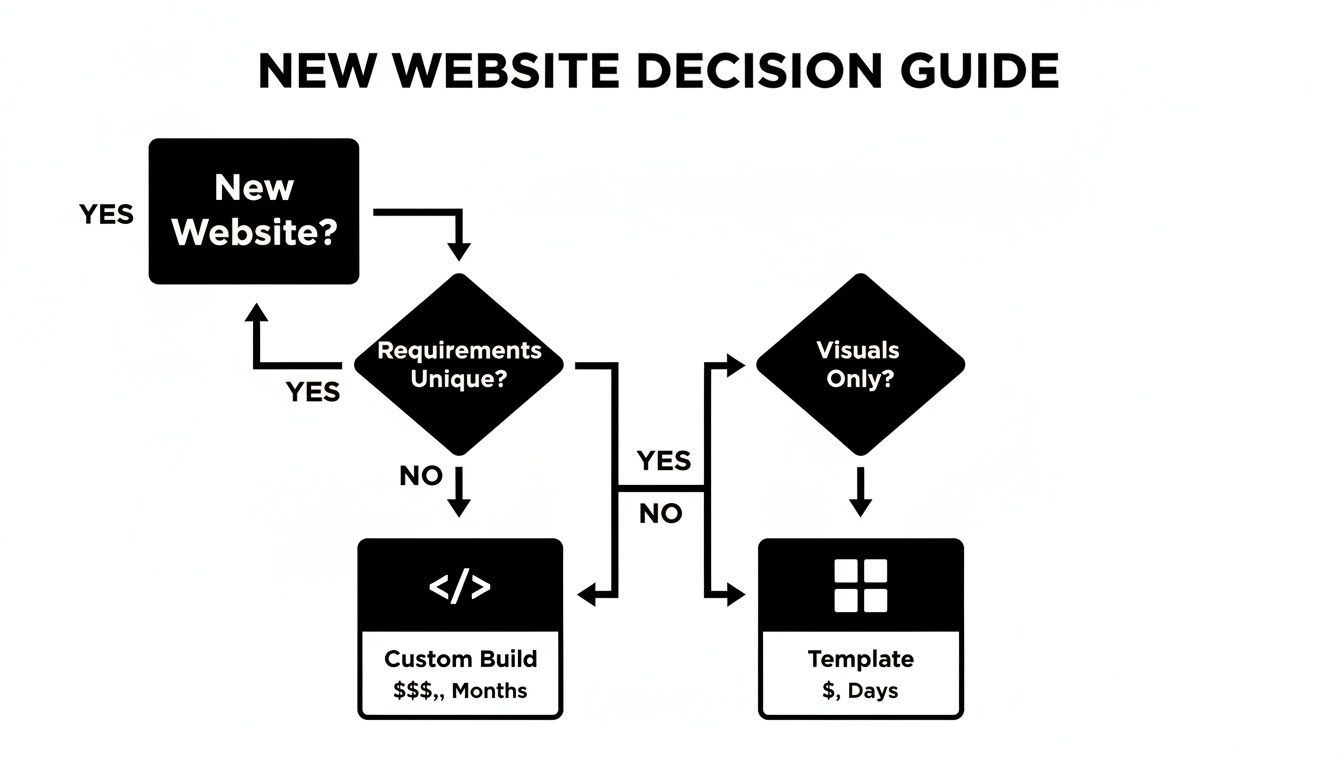
As the flowchart shows, professional templates give you a much faster and more affordable path to getting your website live. This makes them the perfect choice for most small businesses that need to get online and start growing now.
Industry-Specific Needs Over Generic Designs
Every industry has a unique customer journey. A template designed for a photographer will completely fail a SaaS company because their business goals are worlds apart. A one-size-fits-all approach simply doesn't cut it.
You need to figure out what your business specifically needs to succeed online. That means looking for templates built with your industry’s needs already baked in. And while you're thinking about your goals, make sure you're on the right platform by checking out the best website builders for small businesses.
Choosing an industry-specific template isn't about convenience; it's about using a design that's already proven to convert for businesses just like yours. You’re starting on third base instead of at home plate.
For example, a creative agency needs a portfolio-first template with beautiful galleries and case study layouts. A SaaS startup, on the other hand, absolutely needs pricing tables, feature comparison grids, and strong calls-to-action for free trial signups.
To make this easier, here’s a quick-reference checklist to help you pinpoint the features that matter most for your business type.
Template Selection Checklist by Business Type
Business Type | Must-Have Template Features | Key Goal |
|---|---|---|
Local Service (e.g., Plumber, Landscaper) | Prominent contact info, service area maps, appointment booking form, testimonials. | Generate qualified local leads. |
Restaurant/Café | Online menu, reservation system integration, photo gallery, location & hours. | Drive reservations and foot traffic. |
E-commerce Store | Product grids, secure checkout, customer reviews, detailed product pages. | Sell products and manage inventory. |
Consultant/Coach | Service packages, scheduling tool, blog for thought leadership, client testimonials. | Establish authority and book clients. |
SaaS/Tech Startup | Pricing tables, feature comparisons, demo request forms, case studies. | Acquire users and generate signups. |
This table should give you a solid starting point. By focusing on these must-haves, you ensure the template you pick is a tool for growth, not just a pretty brochure.
The Power of Pre-Optimized Features
This is where premium templates, like the ones from FramerDevs, become a true game-changer. Instead of handing you a blank canvas, we give you a structured, conversion-focused starting point. Our templates are designed from the ground up with specific business outcomes in mind.
We’ve already done the heavy lifting by thinking through the user experience (UX) and information architecture for you.
Logical User Flow: Our layouts are built to guide visitors from your homepage directly to a conversion point, whether that’s a contact form or a checkout button.
Essential Pre-Built Sections: Need a pricing table, a services grid, or a team showcase? Those sections are already included, so you don't have to build them from scratch.
Conversion-Ready CTAs: We strategically place calls-to-action throughout the template to drive visitor engagement and capture leads.
When you choose a template that’s pre-optimized for your business, you get rid of all the guesswork. You’re not just getting a beautiful design; you're getting a powerful business tool that's engineered to deliver results from day one.
How to Personalize Your Template Without Touching Code
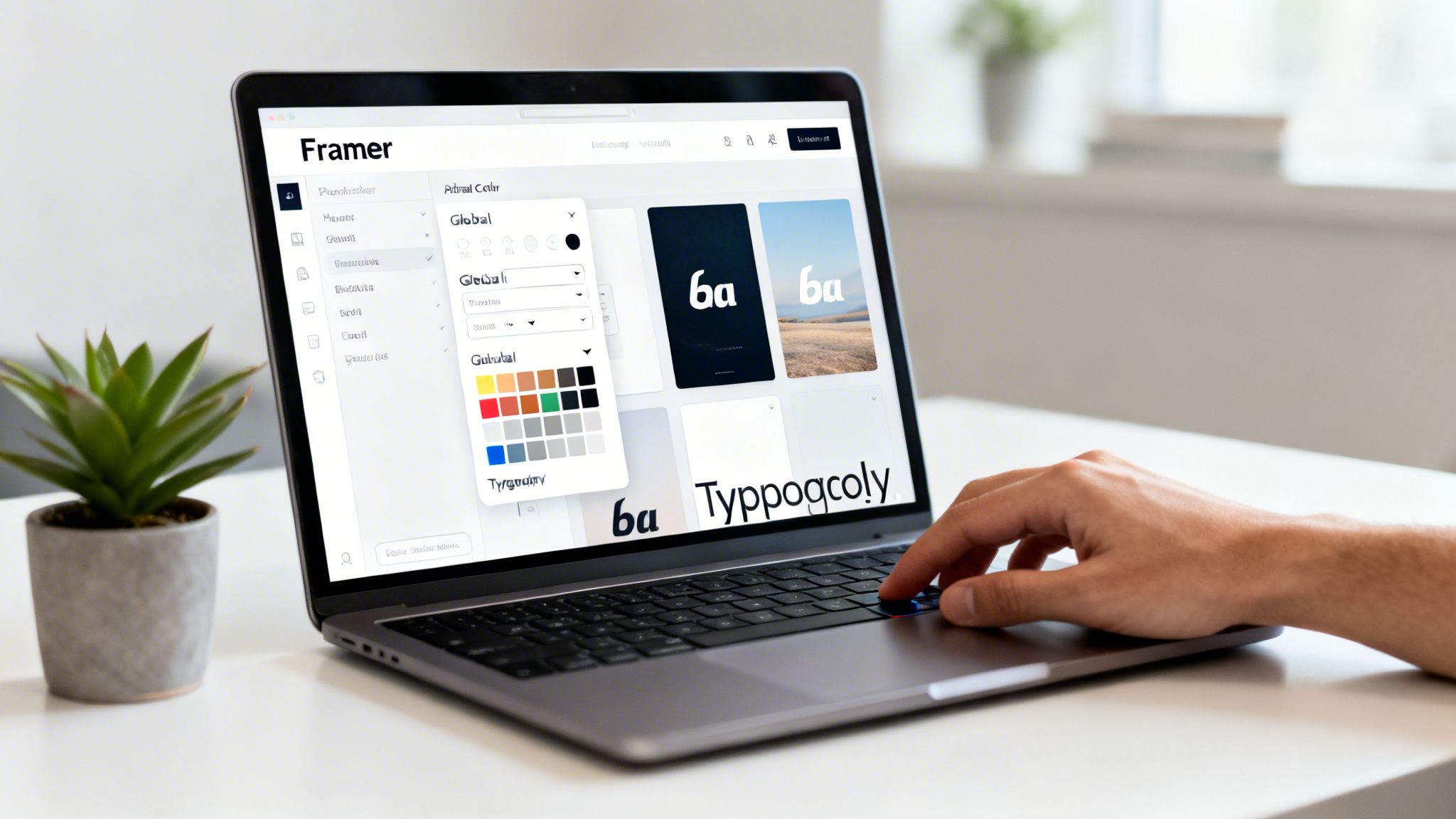
Think of your small business website template as a professionally built foundation, not a finished house. The structure is solid and the layout is proven. Now it’s time to move in and make it feel like home. Thanks to modern tools like Framer, this whole process is visual and surprisingly simple—no coding required.
This isn't about just slapping your logo on a pre-made design. It's about infusing your brand's personality into every pixel, turning a high-quality starting point into a website that looks and feels completely custom. The template gives you the framework; your brand gives it a soul.
The goal here is to get a bespoke look that would otherwise cost thousands and take months with a traditional web design agency. This approach isn't a shortcut; it's a strategic advantage.
Start with Global Brand Styles
The quickest way to make a big impact is by setting your global brand styles. This is where you define your core brand colors and fonts once, and they apply across the entire website. It’s the secret to maintaining brand consistency without the tedious work.
In Framer, this is incredibly straightforward. Instead of changing every single button's color one-by-one, you just update your primary brand color in the style editor. Instantly, every element linked to that color—buttons, links, accents—updates automatically. This saves a massive amount of time and prevents those little inconsistencies that make a site feel amateur.
Your global styles are the design DNA of your website. Get them right from the start, and everything else falls into place.
Color Palette: Define your primary, secondary, and accent colors. A premium template from a provider like FramerDevs will have these styles pre-linked, so a single change propagates everywhere.
Typography: Select your heading and body fonts. Applying your brand’s typography sets a consistent visual hierarchy and tone of voice from the get-go.
Drag, Drop, and Rearrange Layouts
The days of being stuck with a rigid template structure are long gone. With a platform like Framer, you have total creative freedom to modify layouts with a simple drag-and-drop interface. If you don't like where a section is, move it. If you want to get rid of a section, just delete it. It’s that easy.
For instance, say your template has a "Team" section, but you're a solo founder. You can ditch that section and swap in something more relevant, like a detailed case study or a grid of client testimonials. This is what lets a template adapt to your business, not the other way around.
The real power of a premium template is that it provides a professionally designed starting point. You're not building from scratch; you're remodeling an expertly crafted home to fit your exact taste.
This process gives you the control of a custom build without the headaches. You can play around with different layouts and see your changes happen in real time, empowering you to create a site that perfectly matches your vision.
Replace Placeholder Content with Compelling Brand Assets
With your styles and layout locked in, it’s time for the most important part: bringing the site to life with your own content. This step is what truly makes the website yours. Placeholder text and stock images are just guides; your unique brand assets are what will actually connect with your audience.
This goes way beyond just the words on the page. It's about creating a full brand experience.
Compelling Copywriting: Get rid of all the "Lorem Ipsum" and write persuasive copy that speaks directly to your ideal customer. Tell your story, explain your value, and guide them toward taking action.
High-Quality Imagery: Swap out the generic stock photos for professional images of your team, your products, or your work in action. Real photos build trust in a way that stock never can.
Engaging Videos: If you have them, embed product demos, customer testimonials, or a brand story video. Video is one of the most powerful tools for capturing attention and communicating your message quickly.
The FramerDevs Advantage: The Figma Source File
One of the biggest perks of choosing a premium template from an expert provider like FramerDevs is getting the original Figma source file. This is a huge advantage that separates professional-grade templates from the basic ones.
Before you even open Framer, you can jump into the Figma file and experiment freely with your design. Test out different color palettes, try new font pairings, and rearrange layouts in a design-native environment. This lets you perfect your vision without any technical constraints.
Once you’re happy with how it looks in Figma, you have a precise blueprint to follow when you start customizing in Framer. It takes all the guesswork out of the process and ensures the final result is exactly what you envisioned—a custom, high-end website built on a proven, professionally engineered foundation.
Turning Your Website Into a Lead and Search Engine Powerhouse
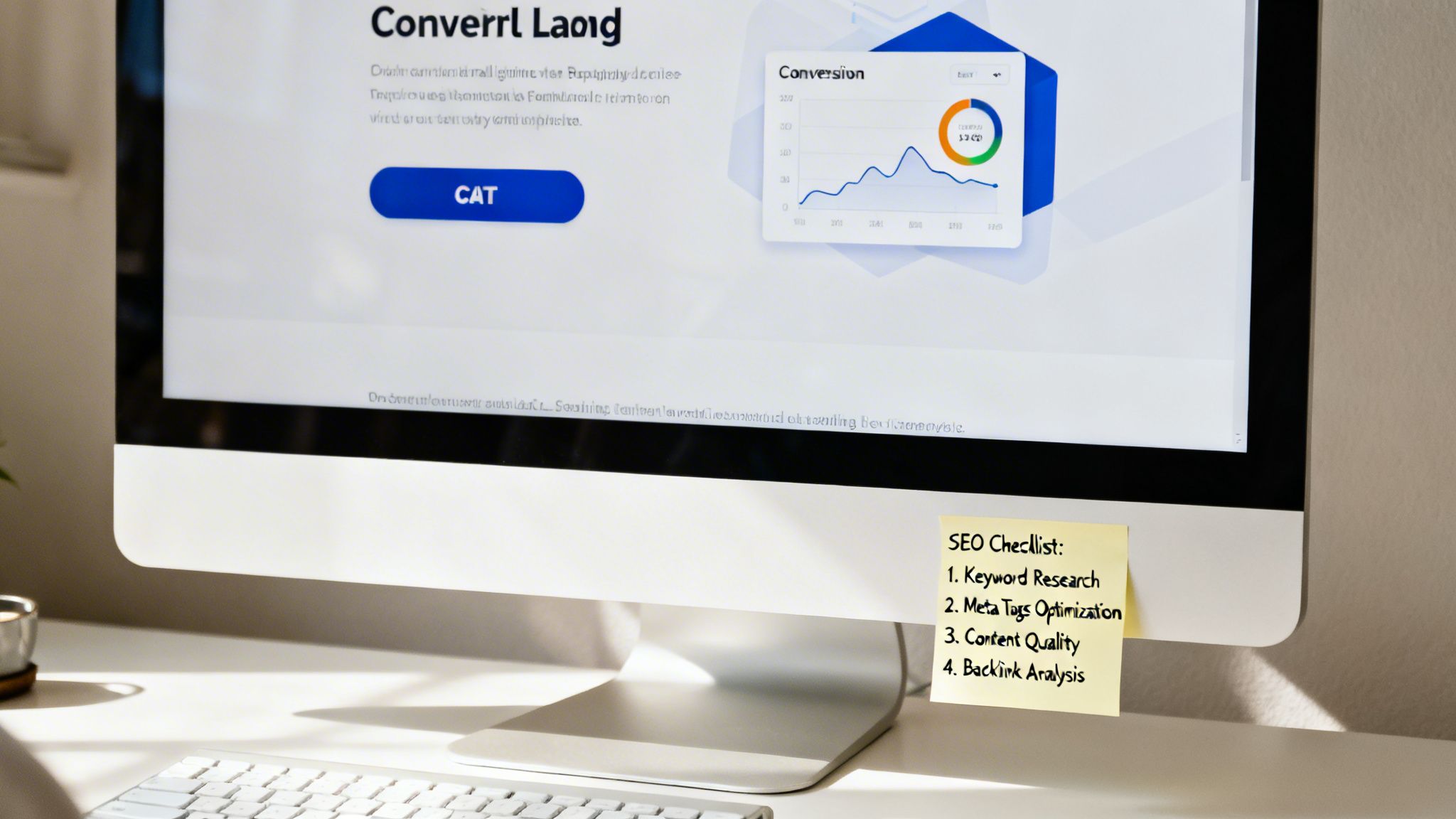
So you’ve customized your template and it looks fantastic. That’s a great first step, but a stunning website nobody can find is like a billboard in the desert—it looks good, but it’s not doing any real work for your business. Now it's time to turn that design into a machine that brings in customers and gets them to act.
This is where two critical disciplines come together: search engine optimization (SEO) and conversion rate optimization (CRO). SEO gets people in the door, and CRO convinces them to stick around and take action.
The best part? If you started with a professional small business website template, a lot of the heavy lifting is already done.
Why a Premium Template Gives You a Performance Edge
Your template's code quality and speed have a direct impact on both your search rankings and your ability to convert visitors. Slow-loading pages are the number one killer of traffic. In fact, a recent report found that 53% of mobile users will bounce if a page takes more than three seconds to load.
This is where premium templates really earn their keep. At FramerDevs, our templates are built from the ground up with clean, lightweight code that’s optimized for speed. That means you get a head start on Google's Core Web Vitals—the key performance metrics that influence search rankings—right out of the box.
"A fast website is no longer a luxury; it’s a requirement. Your template’s performance is the foundation of your SEO and user experience. A premium template pays for itself by preventing lost traffic before you even get started."
Starting with a fast, well-coded template means you can spend your energy on your message and strategy, not on fixing technical debt.
Your On-Page SEO Checklist
On-page SEO is all about the changes you make directly on your site to help search engines understand your content and rank it. Framer makes these tasks incredibly straightforward, even if you're just starting out. Here’s what to nail down:
Compelling Meta Titles and Descriptions: Your meta title is the blue clickable headline in Google search results. It needs your main keyword and a clear benefit. The meta description below it won't directly boost your rank, but a persuasive one can make a huge difference in whether someone clicks your link or a competitor's.
Logical Heading Structure (H1, H2, H3): Use one—and only one—H1 tag on each page for the main topic. Then, use H2s and H3s to break down the content into logical sub-sections. This helps both search engines and human readers scan your page and understand its structure at a glance.
Image Alt Text: Alt text is a short description of an image that helps visually impaired users and also tells search engines what your images are about. Always write descriptive, keyword-rich alt text for every single image.
With your on-site SEO handled, you'll want to make sure local customers can find you. A great resource for mastering Google's Map Pack is this guide on Local SEO for Small Business.
Turning Visitors Into Customers With Conversion Optimization
Getting traffic is only half the battle. Now you have to guide those visitors to a specific goal, whether that’s filling out a form, buying a product, or booking a call. This is the art of conversion optimization.
First impressions matter more than ever. The global web design market is expected to hit $61.23 billion by 2025, and it's because businesses know that good design builds trust. By 2026, 94% of first impressions will be design-related. A professionally designed template ensures that your first impression is solid.
Here are the key elements to get right:
Crafting Powerful Calls-to-Action (CTAs)
Your CTA is the single most important conversion element on the page. It needs to be clear, compelling, and impossible to ignore.
Use Action-Oriented Button Copy: Ditch generic words like "Submit." Instead, use text that promises value, like "Get Your Free Quote," "Start My Trial," or "Download the Guide."
Make Your Button Stand Out: Your CTA button should pop. Use a bright, contrasting color that draws the eye and makes it obvious what the next step is.
Place It Strategically: Put your CTAs where they make the most sense—right after you’ve explained the value of your offer. For instance, a "Book a Demo" button works best after you've detailed your software's features.
Designing Lead-Capture Forms That Actually Work
Nothing kills a conversion faster than a long, complicated form. Your goal is to make it as easy as possible for someone to give you their info.
Ask for a Little, Give a Lot: Only ask for what you absolutely need. For an initial inquiry, a name and email might be all it takes. You can always ask for more later.
Provide Clear Instructions: Use helpful labels and placeholder text to guide users. If there’s an error, tell them exactly what needs to be fixed.
Show Social Proof: Placing a few client logos or a short testimonial near your form is a proven way to build trust and nudge people to sign up.
By combining a high-performance template with smart SEO and conversion tactics, you're not just building a website. You're building an asset that consistently generates leads and grows your business. For an even deeper dive, check out our guide on how to apply these ideas to create high-converting landing pages.
Your Essential Pre-Launch Checklist For A Perfect Go-Live
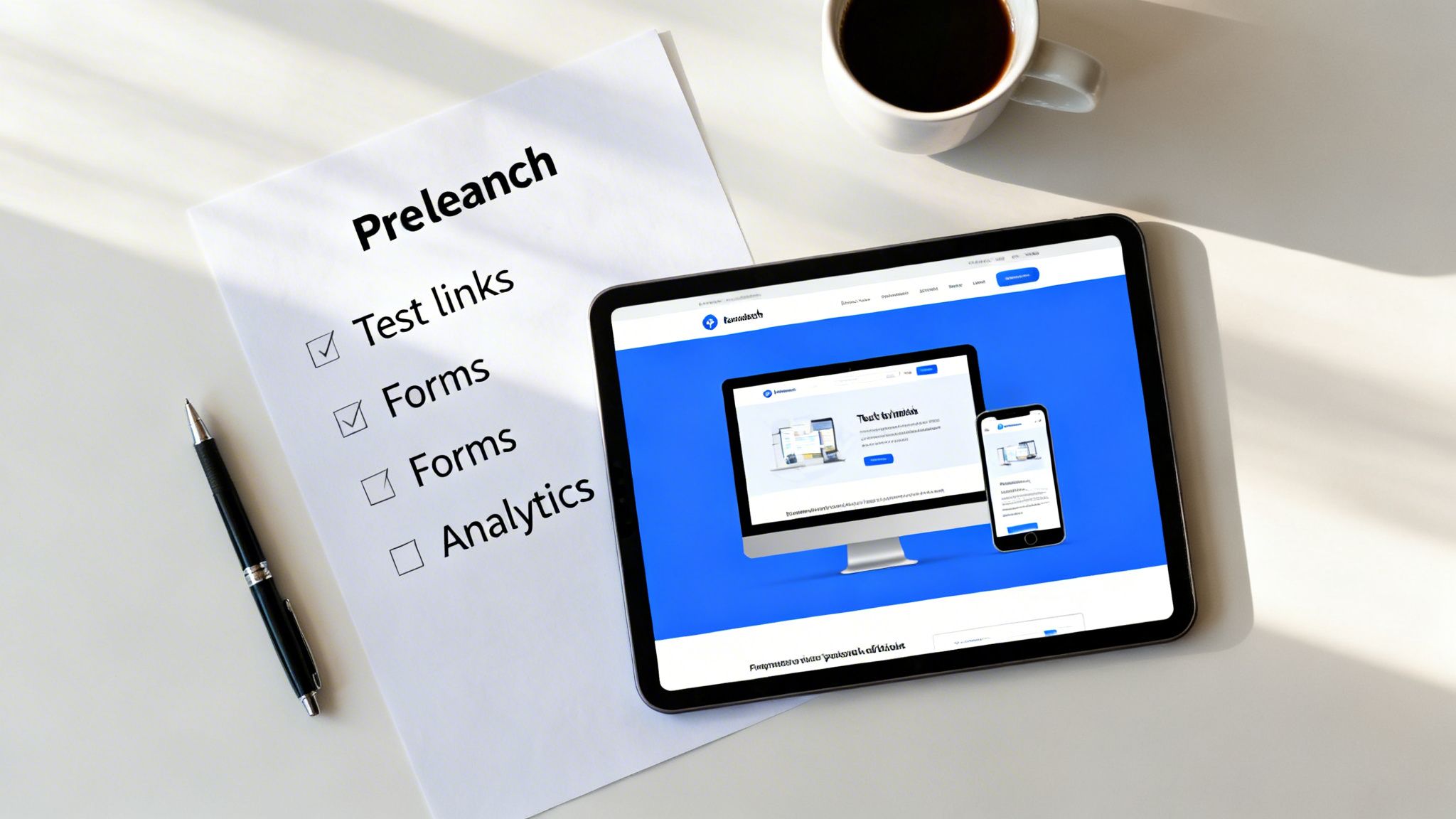
You’ve tweaked your template, injected your brand’s personality, and written content that actually connects. The finish line is so close, but these last few moments before hitting "publish" are exactly where small oversights become massive headaches.
Think of this as your final safety net. Rushing this step is the most common mistake I see, and it can tank all your hard work. A broken link, a form that goes nowhere, or a wonky mobile layout can kill a visitor's trust in seconds. A quick, systematic review prevents these launch-day disasters and makes sure you look professional from the get-go.
It’s also a huge confidence booster. When you start with a solid foundation like a premium small business website template, the core mechanics are already sound. This lets you focus on the final polish instead of wrestling with broken code.
Nail the Technical and Functional Checks
Before you even think about telling the world your site is live, you have to confirm everything actually works. This isn't just about looking good; it's about providing a smooth, frustration-free experience for every single person who lands on your page.
First, go on a clicking spree. Methodically test every single link on your site—navigation, footer links, buttons, and any links inside your text. Make sure they all go to the right place and you don't hit any "404 Page Not Found" errors. A dead link is a dead end for a customer.
Next, test your forms. Fill out your contact form, your newsletter signup, and any other forms you have. Do you get the email notification? Does the submission data show up where it's supposed to? A lost lead from a broken form is one of the most painful—and preventable—mistakes.
Make Sure It Looks Flawless on Every Device
Your site will be viewed on a wild range of screens, and it needs to look perfect on all of them. A design that’s gorgeous on a desktop but a jumbled mess on a smartphone is simply not an option today.
Desktop: Check your site on a large monitor. Are your images crisp? Is the text easy to read? Does the layout feel balanced?
Tablet (Portrait & Landscape): See how the site adapts on a tablet in both orientations. Menus should be easy to tap, and the content should reflow without looking awkward.
Mobile: This is your most important check. Pull up the site on your phone. Can you read the text without pinching to zoom? Are the buttons big enough for a thumb to tap easily? Is the navigation simple to find and use?
Flawless responsiveness isn’t a nice-to-have; it’s a baseline requirement for credibility. Starting with a professional template from FramerDevs gives you a massive head start here, since the design is already optimized for every device.
Finalize Your Content and Optimize Your Assets
With the technicals sorted, it's time for one last look at the content itself. This is your final chance to catch embarrassing typos and make sure your visuals are helping, not hurting, your site's performance.
Proofread every single word. Seriously. Read it out loud to catch awkward phrasing and grammar mistakes your eyes might skip over. One simple spelling error can make a potential customer question your professionalism.
Then, double-check that all your images are optimized for the web. Huge, uncompressed images are the number one killer of page speed. Use a tool to shrink their file size without losing too much quality. And make sure every image has descriptive alt text—it’s crucial for accessibility and SEO.
Essential Pre-Launch Go-Live Checklist
This checklist isn't just about ticking boxes; it's about building confidence. Running through these items ensures you haven't missed a critical detail before showing your new website to the world.
Category | Check Item | Status (Done/Pending) |
|---|---|---|
Technical | All internal and external links are working (no 404 errors). | |
Technical | All forms (contact, signup) submit correctly and send notifications. | |
Responsiveness | Website looks and functions perfectly on desktop. | |
Responsiveness | Website looks and functions perfectly on tablet (portrait & landscape). | |
Responsiveness | Website looks and functions perfectly on mobile devices. | |
Content | All text has been proofread for typos and grammatical errors. | |
Assets | All images are compressed and optimized for web performance. | |
Assets | All images have descriptive alt text for SEO and accessibility. | |
SEO | Each page has a unique and descriptive meta title and description. | |
SEO | A favicon is uploaded and displays correctly in the browser tab. | |
Analytics | Google Analytics or another tracking tool is installed and working. | |
Legal | Privacy Policy and Terms of Service pages are linked correctly. |
Once you've gone through this list, you can launch with the peace of mind that you've covered all your bases. For an even more exhaustive rundown, our complete website launch checklist dives deeper into every step.
Finally, get your analytics connected. Install Google Analytics or your preferred tool to start tracking visitor behavior from day one. Without data, you’re just guessing what works. This step is non-negotiable if you’re serious about getting results.
Answering Your Top Questions About Website Templates
Choosing a website template for your small business feels like a huge commitment, and it's totally normal to have questions. This isn't just about looks; you're picking a foundational tool for your business.
Let's clear up some of the most common worries we hear from founders so you can move forward with confidence.
Will My Website Look Generic if I Use a Template?
This is the number one fear we see, but it’s usually based on a dated idea of what a template is. A cheap or free template might box you in, but a premium template is a completely different animal—it's a sophisticated starting point, not a restrictive mold.
High-quality templates from a marketplace like FramerDevs are built for customization. You can easily change global colors, fonts, imagery, and even entire layouts to create a site that feels 100% unique to your brand.
The best defense against a generic-looking site is having the Figma source files included with your template. This is standard with FramerDevs templates and allows you to nail down a completely unique design before you even open Framer, ensuring your final website stands out.
Can I Get Good SEO Results With a Website Template?
Absolutely—but the template's underlying quality is everything. Think of it this way: a well-built template gives you a huge head start on technical SEO, while a poorly coded one can actually work against you from day one.
Premium templates are designed with SEO best practices baked right in:
Clean, Lightweight Code: This is a direct line to faster load speeds, which is a major ranking factor for Google.
Logical Heading Structure: They come with a proper hierarchy (H1, H2, H3 tags), which helps search engines understand your content.
Flawless Mobile Responsiveness: This is non-negotiable for modern SEO, and professional templates are built to look perfect on every screen size.
Your job is to build on this solid foundation with great content and smart on-page optimization. The template handles the technical heavy lifting so you can focus on your message.
Is It Better to Hire a Developer or Use a Template?
For most small businesses, a premium template strikes the perfect balance of quality, speed, and cost. A fully custom website can run you tens of thousands of dollars and take months to complete. That's a timeline and budget that just isn't realistic for many growing businesses.
This isn’t about one option being universally "better." It's about what's most strategic for your business right now. A premium template from a trusted source gives you a designer-grade, conversion-optimized website for a fraction of the cost, letting you launch in days, not months. It's the most direct path to seeing an immediate return on your investment.
What if I Get Stuck While Customizing My Template?
This is a totally valid concern, and it shines a spotlight on the importance of support after you buy. Many template marketplaces have a "you bought it, you own it" attitude, leaving you stranded if you hit a roadblock.
This is where premium providers really stand apart. When you get a template from a dedicated partner like FramerDevs, you’re also getting a support system designed to make sure you succeed. This often includes:
Beginner-Friendly Documentation: Clear guides that walk you through every step of the customization process.
Frequent Updates: The template is kept current with the latest platform features and security standards.
Dedicated Human Support: The ability to actually talk to an expert when you have a specific question or need help with a tricky detail.
This kind of support means you're never left guessing. You can build and launch a professional site knowing that expert help is there if you need it.
Ready to launch a site that looks custom-built without the custom-build price tag? Explore the library of premium, conversion-focused templates at FramerDevs. Find your perfect design and get your business online in days.



