10 Landing Page Best Practices for 2026 That Drive Unstoppable Conversions

Building a high-converting landing page is more science than art. With user attention measured in seconds, the line between a conversion and a bounce is incredibly thin. Most landing pages fail not because of a single catastrophic error, but from a series of small, overlooked mistakes that collectively dilute their message and frustrate visitors. Generic advice is no longer sufficient.
This guide moves beyond the obvious, diving deep into 10 actionable landing page best practices that separate top-performing pages from the rest. We will cover the strategic nuances that drive real results, from the psychological triggers in your copy to the granular details of performance optimization. A key indicator of a landing page's success is its bounce rate; for a deeper look into this metric, you can find practical strategies on how to lower bounce rate through targeted site speed and user experience improvements.
Mastering these principles is your fastest path to measurable growth. Whether you are a no-code creator using Framer or a SaaS founder launching a new campaign, you will learn how to build pages that not only look good but also consistently convert.
While building from scratch can be a powerful learning exercise, the fastest path to a world-class, conversion-optimized landing page is starting with a professional foundation. A premium template from an expert provider like FramerDevs allows you to implement these best practices instantly, saving countless hours and ensuring your business benefits from a high-quality, high-speed launch.
1. Clear Value Proposition Above the Fold
The very first thing a visitor sees when they arrive on your page, often called the "above the fold" area, is your most valuable digital real estate. One of the most critical landing page best practices is dedicating this space to a powerful and clear value proposition. You have mere seconds to answer a visitor’s two core questions: “What is this?” and “Why should I care?” A compelling headline and subheadline combination must immediately communicate what you offer and the primary benefit it provides.
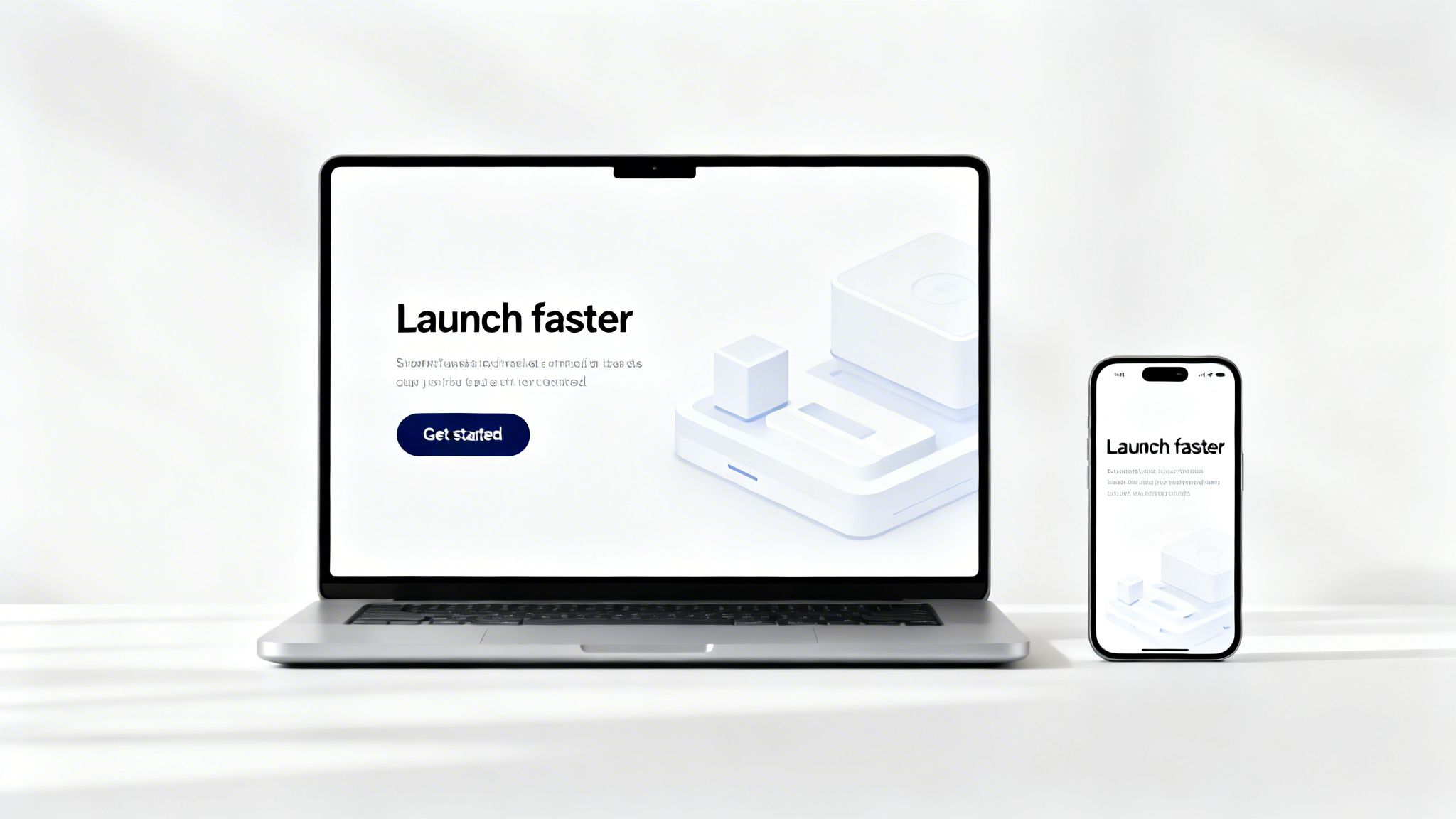
Without this clarity, visitors will bounce. They won’t scroll down to discover your features or read testimonials if they don't grasp the core value upfront. This initial impression sets the stage for the rest of their journey on your page. A weak start almost guarantees a lost conversion opportunity.
How to Craft a Winning Value Proposition
A strong value proposition is specific, benefit-driven, and concise. Look at Notion, which uses the headline “Your wiki, docs, & projects. Together.” This immediately explains its function while implying the benefit of consolidation. For SaaS founders, a value proposition like the one found on a FramerDevs template, “Launch your SaaS in days, not months,” is effective because it speaks directly to a key pain point: speed to market.
Here are actionable tips for implementing this on your landing page:
Be Specific with Numbers: Instead of a vague claim like “very fast,” use a concrete benefit such as “Launch 3x faster.” Numbers grab attention and build credibility.
Align with Your Ads: Ensure your headline messaging matches the ad copy that brought the visitor to your page. A disconnect here creates cognitive friction and erodes trust.
Focus on Benefits, Not Features: A visitor doesn't care that you use a "proprietary algorithm." They care that they can "find qualified leads in under 60 seconds." Always frame your offer in terms of what the user gains.
Optimize for Mobile: Check that your full headline and call-to-action button are visible on a mobile screen without any need for scrolling.
Key Insight: Nailing the "above the fold" section from scratch is incredibly difficult. A professional, conversion-optimized template from FramerDevs has this critical structure built-in, providing a proven layout designed to capture attention and communicate value from the moment visitors arrive. It's the fastest way to start with quality.
2. Strategic Use of Social Proof and Trust Signals
After you’ve grabbed a visitor's attention with a strong value proposition, the next step is to build their confidence in your offer. One of the most effective landing page best practices is the strategic use of social proof and trust signals. These elements answer the visitor's subconscious question: “Can I trust this company?” By showcasing testimonials, user counts, partner logos, and security badges, you reduce purchase anxiety and validate their decision to engage with your brand.

Without credible proof, your claims are just words on a page. Visitors are naturally skeptical, especially when encountering a new brand or product. Social proof provides third-party validation that makes your promises believable. It shifts the narrative from "what we say about ourselves" to "what others say about us," which is a far more powerful conversion driver.
How to Implement Social Proof Effectively
Effective social proof is specific, authentic, and placed for maximum impact. Look at how Slack showcases logos from well-known companies and provides detailed case studies with measurable ROI. Similarly, a FramerDevs template might prominently display a callout like "Trusted by 5k+ founders," which instantly builds credibility with its target audience of no-code creators. This is a crucial element for new SaaS offerings where trust has not yet been established.
Here are actionable tips for implementing this on your landing page:
Place Proof Near CTAs: Position your strongest testimonials or trust badges close to your primary call-to-action buttons. This can provide the final nudge a user needs to convert.
Use Specific Metrics: Instead of a vague quote like "quick setup," use a specific result: "We were live in under 2 hours." Concrete numbers are more believable and impactful.
Increase Authenticity: Include real photos, full names, and job titles with your testimonials. This makes the praise feel genuine and relatable to prospective customers.
Link Logos to Stories: If you display a logo wall of your clients, consider linking each logo to a relevant case study or customer success story to add depth and proof.
Key Insight: Integrating authentic social proof requires more than just pasting a quote. A premium template from FramerDevs comes with thoughtfully designed sections for testimonials, logo walls, and metric callouts. These pre-built, conversion-focused layouts ensure your trust signals are placed correctly to build credibility and drive sign-ups, accelerating your path to a trustworthy business presence.
3. Optimized Call-to-Action (CTA) Button Design and Placement
Your Call-to-Action (CTA) is the most important interactive element on your landing page. It's the final gate between a visitor's interest and a conversion. An ineffective CTA-one that is poorly worded, hard to find, or uninspiring-creates friction at the most critical moment, causing potential customers to abandon the page. Mastering CTA design and placement is one of the most impactful landing page best practices you can implement.
The goal is to make the desired action both obvious and compelling. A well-designed CTA stands out visually, uses action-oriented language, and appears exactly when a user is ready to act. It guides the user's journey and confidently asks for the conversion, turning passive browsing into a decisive step. Without this, even the most persuasive copy will fail to produce results.
How to Create High-Converting CTAs
A successful CTA combines psychological design principles with clear, benefit-driven copy. For example, HubSpot strategically places multiple CTAs like "Get HubSpot Free" and "Schedule Demo" to cater to users at different stages of their decision-making process. Similarly, Framer uses a prominent "Build with Framer" button that clearly communicates the next step. Every detail, from color to copy, plays a part.
Here are actionable tips for implementing this on your landing page:
Use First-Person Action Verbs: Start your CTA copy with strong, possessive verbs like "Claim My Spot" or "Start My Free Trial." This language gives the user a sense of ownership and makes the action feel more personal.
Add Benefit-Driven Micro-copy: Support your primary CTA with text that removes friction, such as "No credit card required" or "Join 5,000+ happy customers." This small text can significantly boost confidence.
Test Contrasting Colors: While brand consistency is important, your primary CTA button should pop. Test a color that contrasts with your page's main palette. A button that stands out gets more clicks.
Ensure Mobile Visibility: Your primary CTA must be visible above the fold on mobile devices without any scrolling. Users should not have to hunt for the button to convert.
Use Whitespace: Surround your CTA with ample negative space. This design choice draws the eye directly to the button, making it the undeniable focal point of its section. The same principle can be seen in effective automotive website design, where key features are given space to shine.
Key Insight: Getting CTA design and placement perfect requires a deep understanding of user psychology. Instead of guessing, leverage a premium template from FramerDevs where CTAs are already optimized for conversion. These templates place high-contrast, compelling CTAs at strategic points, ensuring your visitors are always guided toward your business goals.
4. Mobile-First Responsive Design
Designing for mobile users first is no longer just a good idea; it's a fundamental requirement for success. With a majority of web traffic originating from mobile devices, a mobile-first approach ensures your landing page provides a seamless experience for the largest segment of your audience. This practice involves designing the mobile layout as the default, then adapting it for larger screens, rather than trying to shrink a complex desktop design.
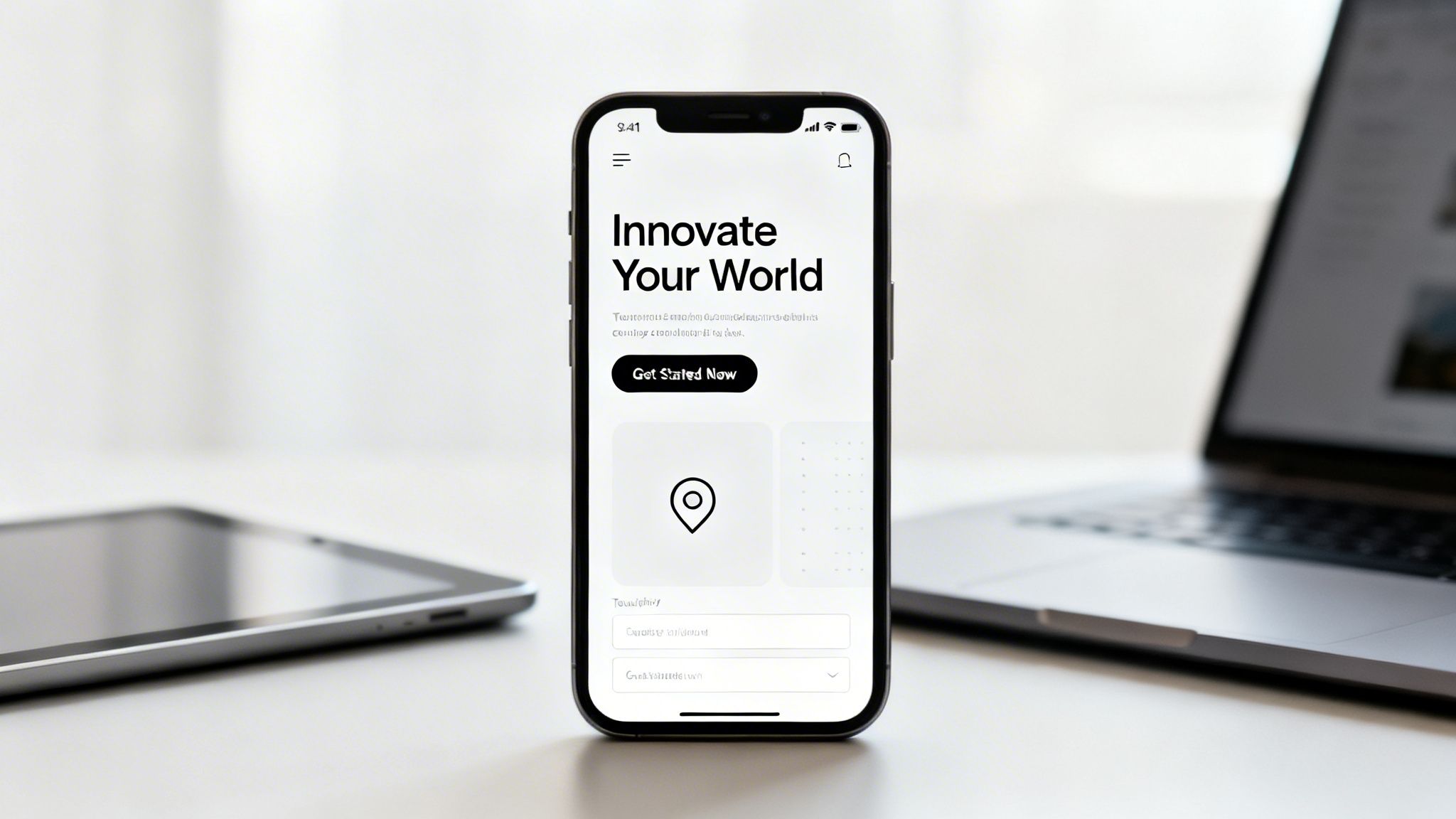
A poor mobile experience is a direct path to a high bounce rate. If users have to pinch, zoom, or struggle to tap a button, they will simply leave. Furthermore, Google’s mobile-first indexing means that the mobile version of your page is what it primarily uses for ranking and indexing, making this one of the most critical landing page best practices for both conversions and SEO.
How to Implement Mobile-First Design
A successful mobile-first design prioritizes clarity and usability on small screens. For example, Airbnb's mobile site simplifies navigation and booking into a clean, vertical flow that feels natural to phone users. Similarly, modern no-code platforms like Framer build this principle into their core, making it easier to achieve a responsive layout that looks great on any device.
Here are actionable tips for implementing this on your landing page:
Prioritize Content: On a small screen, you must be ruthless. Identify the most critical elements needed for a conversion and remove or hide anything non-essential for the mobile view.
Use Vertical Layouts: Stack elements like form fields, feature blocks, and testimonials vertically. This creates a natural, scrollable experience for mobile users.
Design Tap-Friendly Buttons: Ensure all interactive elements, especially your call-to-action buttons, are large enough to be tapped easily. A minimum size of 48x48 pixels is a common recommendation.
Test on Real Devices: Browser emulators are useful, but nothing beats testing your page on actual smartphones. This helps you spot real-world issues with touch targets, performance, and readability.
Key Insight: Achieving a truly polished, mobile-first design from scratch requires significant time and expertise. To guarantee a flawless experience across all devices and launch faster, start with a professionally built template. All 100+ premium templates from FramerDevs are built with a mobile-first philosophy, ensuring your page is fast, responsive, and conversion-ready on day one.
5. Strategic Use of Video and Visual Hierarchy
Static pages are quickly becoming a thing of the past. To capture and hold user attention, another of the most important landing page best practices is the strategic use of video and a clear visual hierarchy. Dynamic content like videos and subtle animations can communicate complex ideas faster than text, significantly increasing time on page and guiding visitors toward your call-to-action.
When a visitor can see your product in action, it builds immediate trust and understanding. This approach moves beyond simply telling them what you do; it shows them. A well-placed video or a clear visual flow creates an intuitive user experience, making it easy for visitors to process information and feel confident in taking the next step.
How to Implement Video and Hierarchy Effectively
A great video can demonstrate value in seconds. Look at Loom, whose hero video instantly shows its core screen recording function, or Slack, which uses product demos to illustrate real-world collaboration. These videos are not just decorative; they are powerful conversion tools. Visual hierarchy, on the other hand, uses size, color, and placement to direct the eye, ensuring the most important elements get seen first.
Here are actionable tips for implementing this on your landing page:
Optimize for Performance: Keep hero videos under 15 seconds and compress them below 5MB using modern codecs (like H.264 or VP9). Always implement lazy-loading for videos that appear below the fold to protect your page speed.
Design for Accessibility: Over 90% of videos on social feeds are watched without sound. Assume the same for your page and include captions. Also, use a video thumbnail that clearly communicates what the video is about.
Guide with Visuals: Place demo videos near their corresponding feature descriptions to provide context. The layout of your page elements should naturally lead the visitor's eye from the headline to the CTA button.
Test on All Devices: Ensure your animations and videos play smoothly on lower-end devices and various browsers. What looks great on a new MacBook might be a broken experience for a large part of your audience.
Key Insight: Building a visually compelling and high-performing page with video from scratch is a significant technical challenge. Professional templates from FramerDevs have these elements pre-built and optimized for speed. You get the engagement benefits of dynamic content without the performance headaches, letting you launch a premium-quality page faster.
6. Minimalist, Distraction-Free Design
In a world full of digital noise, simplicity cuts through. One of the most effective landing page best practices is adopting a minimalist, distraction-free design. This approach isn't about making your page look empty; it's about making your message feel important. By intentionally removing non-essential elements, you reduce the visitor's cognitive load, making it easier for them to understand your offer and take the desired action.
A cluttered page with competing animations, colors, and navigation links creates confusion and decision paralysis. This friction is the enemy of conversion. A clean, focused design guides the user's eye directly to what matters most: your value proposition and your call-to-action. Every element on the page should serve a purpose, and if it doesn't, it should be removed.
How to Implement a Minimalist Design
Achieving effective minimalism requires discipline and a clear understanding of your page's single goal. Companies like Apple and Stripe are masters of this, using generous whitespace and clear section breaks to make complex products feel simple and approachable. This design philosophy is about prioritizing clarity over decoration.
Here are actionable tips for implementing this on your landing page:
Follow the "Less is More" Rule: Start by removing elements until the page feels broken or incomplete. Then, thoughtfully add back only the absolute essentials.
Establish a Spacing System: Use a consistent grid for margins and padding, like an 8-point system (8px, 16px, 24px). This creates a sense of order and visual rhythm.
Limit Your Typefaces: Stick to a maximum of two fonts, one for headings and one for body text. This maintains a clean, professional look and improves readability.
Guide Attention with Contrast: Use high-contrast pairings, like dark text on a light background, to draw attention to key information. A single, brightly colored CTA button on a neutral background is a classic example.
Test by Removing Sections: Question the necessity of every section. Duplicate your page, remove an entire block (like a secondary feature list), and see if it impacts your conversion rate. You might be surprised.
Key Insight: Building a minimalist design from scratch is harder than it looks. It's easy to oversimplify and lose key messaging. A premium FramerDevs template is built on these design principles from the ground up, providing a balanced, conversion-focused layout. This saves you from the guesswork and ensures your page is both clean and effective, giving your business a polished look from day one.
7. A/B Testing and Data-Driven Iteration
Building a landing page is just the first step; optimizing it for maximum conversions is an ongoing process. One of the most powerful landing page best practices is A/B testing, also known as split testing. This method involves systematically testing variations of your page against each other to see which one performs better. You are no longer guessing what works for your audience; you are using hard data to know for sure.
Without testing, you are leaving conversions and revenue on the table. A small change, guided by data, can lead to a significant uplift in performance. This iterative process of testing, learning, and refining is what separates high-growth companies from those that stagnate. It ensures your page evolves with your audience's preferences.
How to Implement Data-Driven A/B Tests
Effective testing starts with a clear hypothesis and focuses on one variable at a time. For example, email service ConvertKit regularly tests its opt-in pages and call-to-action buttons to maximize sign-ups. By isolating changes, they can attribute performance gains directly to a specific element, whether it's a headline, image, or button color.
Here are actionable tips for implementing A/B testing on your landing page:
Start with High-Impact Elements: Begin by testing the components that have the biggest influence on a visitor's decision, such as your main headline, primary CTA, and hero image.
Isolate Your Variables: Test only one change at a time. If you alter both the headline and the button text simultaneously, you won't know which change caused the increase or decrease in conversions.
Aim for Statistical Significance: Run tests long enough to gather sufficient data. A common goal is at least 100 conversions per variant and a 95% confidence level to ensure your results aren't due to random chance.
Document Everything: Keep a detailed log of every test you run, including your hypothesis, the variants, the duration, and the results. This creates a valuable knowledge base for your team.
Key Insight: A/B testing can feel complex, but modern tools make it accessible. When you start with a premium template from FramerDevs, you get a high-quality, conversion-focused design as your "control" version. This gives you a powerful head start, making it simpler to test variations and confidently improve on an already-strong foundation.
8. High-Converting Form Design and Optimization
The form is the final hurdle between a visitor and a conversion. It's where interest turns into action, but it's also where the highest friction and abandonment rates occur. One of the most impactful landing page best practices is optimizing your forms to be as simple and frictionless as possible. Your goal is to balance the need to collect crucial lead information against the user's inherent reluctance to fill out long, complex fields.
A poorly designed form can single-handedly sink your conversion rates, no matter how persuasive the rest of your page is. Visitors who were ready to sign up or make a purchase will abandon the process if the form feels intrusive, difficult, or time-consuming. Every field you add increases the cognitive load and the risk of a lost lead.
How to Build Forms That Convert
An effective form feels like a natural and easy final step, not a chore. Slack famously masters this with its initial sign-up, which often requires only a single email address to get started. This minimal approach drastically lowers the barrier to entry. Similarly, HubSpot uses progressive profiling, asking for just an email on the first interaction and gathering more information on subsequent visits. This builds the customer profile over time without overwhelming them upfront.
Here are actionable tips for implementing this on your landing page:
Ask for Essentials Only: For an initial sign-up, stick to the bare minimum, like a name and email. You can always gather more data later in the customer lifecycle.
Use Inline Validation: Provide real-time feedback as the user types. Show a green checkmark for a valid entry or a red error message for an invalid one, rather than waiting for them to hit "submit."
Stack Fields Vertically: A single-column layout is easier for users to scan and complete, especially on mobile devices. It creates a clear, linear path to completion.
Design for Touch: Ensure input fields have a minimum height of 40px to be easily tappable on mobile screens.
Add Reassurance Copy: Include a small note near the submit button, like "We'll never spam you" or "Get your free demo," to alleviate last-minute anxiety and reinforce the value of their submission.
Key Insight: Building a high-converting form from scratch involves a lot of testing and refinement. Professional templates from a source like FramerDevs solve this by including pre-built, optimized form components. These are designed with conversion best practices baked in, ensuring you capture leads effectively without the trial-and-error of a custom build, helping your business grow faster.
9. Clear Messaging Hierarchy and Content Structure
A landing page isn't just a collection of information; it's a guided conversation. How you structure your content is just as important as what you say. A clear messaging hierarchy organizes your page into a logical narrative, guiding visitors from initial curiosity to a confident decision. This is one of the most fundamental landing page best practices because it controls the flow of information and builds momentum toward your call to action.
Without a deliberate structure, you force visitors to work hard to find answers, leading to confusion and abandonment. A well-organized page anticipates their questions and presents information in the exact order they need it. This thoughtful approach demonstrates that you understand their journey and respect their time, which is critical for building trust and encouraging conversion.
How to Build a Compelling Content Narrative
An effective content structure often follows a classic storytelling framework: problem, solution, and proof. Look at how Slack organizes its homepage: it starts with the problem of disorganized work, presents its platform as the solution ("Where work happens"), showcases specific features as benefits, and reinforces it all with success stories. This flow feels natural and persuasive.
Here are actionable tips for implementing this on your landing page:
Follow the User's Questions: Structure your sections to answer questions in order: "What is this?" (Intro), "How does it help me?" (Problem/Solution), "How does it work?" (Features/Benefits), "Who else trusts this?" (Social Proof), and "How can I get it?" (CTA).
Frame with Benefits, Not Features: Instead of a headline like "Advanced Automation Features," use benefit-driven copy like "Save 10 Hours a Week on Repetitive Tasks." Always connect a feature to a tangible outcome for the user.
Use Subheadings as Signposts: Break up long pages with clear, descriptive subheadings. This helps visitors scan the page and quickly find the information most relevant to them.
Limit Paragraph Length: Keep paragraphs to a maximum of 2-3 sentences. Short, digestible chunks of text are far less intimidating and more likely to be read, especially on mobile devices.
Key Insight: Crafting a perfect narrative flow from scratch is challenging and time-consuming. Premium Framer templates from a provider like FramerDevs are built with a proven messaging hierarchy. They provide a pre-built, conversion-focused structure, allowing you to simply plug in your content and launch a page that’s already designed to guide users effectively toward conversion.
10. Page Speed Optimization and Performance
In a world of short attention spans, every second your landing page takes to load directly costs you conversions. Page speed optimization isn't a technical luxury; it's one of the most fundamental landing page best practices. A slow page frustrates visitors, hurts your SEO rankings as a key Google ranking factor, and ultimately undermines all the hard work you put into your design and copy.
A visitor who clicks your ad expects an immediate, seamless experience. If they are met with a blank white screen for even a few seconds, their trust falters, and they are likely to hit the back button before your value proposition ever appears. Optimizing for performance ensures your message is delivered instantly, keeping visitors engaged from the first moment.
How to Ensure a Lightning-Fast Landing Page
Top-tier performance involves a combination of smart media handling, efficient code, and the right hosting infrastructure. Modern no-code platforms like Framer and Webflow have made this much more accessible by building optimization features directly into their products. For instance, Framer is engineered for fast rendering and excellent Core Web Vitals scores by default, while Webflow offers automatic image optimization and lazy-loading.
Follow these actionable tips to get your page speed into the green:
Compress Your Images: Keep individual images under 100KB. Tools like TinyPNG or ImageOptim can drastically reduce file size without a noticeable drop in quality.
Use Modern Formats: Serve images in next-gen formats like WebP for photos and use SVG for icons and logos. These formats offer better compression and quality than older JPEGs or PNGs.
Lazy-Load Offscreen Assets: Implement
loading='lazy'for images and videos that are below the fold. This tells the browser to wait to load them until the user scrolls them into view, speeding up the initial load time.Minimize Third-Party Scripts: Every chat widget, analytics tool, or ad pixel you add can slow your page down. Audit these scripts and remove any that are not absolutely essential for your conversion goal.
Monitor Core Web Vitals: Regularly test your page with Google's PageSpeed Insights to check your Core Web Vitals (LCP, FID, CLS). This gives you a clear picture of user experience and identifies areas for improvement, a key part of any pre-launch routine detailed in a comprehensive website launch checklist.
Key Insight: Building a high-performance page from scratch is a technical challenge. A professional Framer template from FramerDevs is pre-optimized to pass Lighthouse audits with flying colors. This gives your business an immediate competitive advantage with a site that is built for speed, SEO, and conversions, letting you focus on your message instead of debugging render-blocking resources.
10-Point Landing Page Best Practices Comparison
Element | 🔄 Implementation Complexity | ⚡ Resource Requirements | ⭐ Expected Effectiveness | 💡 Ideal Use Cases | 📊 Key Advantages |
|---|---|---|---|---|---|
Clear Value Proposition Above the Fold | Low–Medium: copy + layout refinement, iterative testing | Low: headline, subheadline, hero image/video | High ⭐: immediate clarity, lower bounce | New landing pages, paid ad arrivals, hero sections | Instant clarity, stronger first impression, cross-device impact |
Strategic Use of Social Proof and Trust Signals | Medium: collect permissions, curate assets | Medium: case studies, customer outreach, design space | High ⭐ (20–50% lift when placed well) | SaaS, no-code products, risk-averse buyers | Builds credibility, reduces purchase anxiety, differentiates |
Optimized CTA Button Design and Placement | Low–Medium: design + A/B testing of copy/placement | Low: design assets and testing traffic | High ⭐: improves CTRs 10–30% | Any conversion page, mobile-heavy flows | Increases clicks, clarifies action, supports mobile UX |
Mobile-First Responsive Design | Medium–High: layout rework and device testing | Medium: responsive design, device testing resources | High ⭐: boosts mobile conversions 20–35% and SEO | Mobile-majority audiences, SEO-focused sites | Better rankings, lower mobile bounce, future-proof UX |
Strategic Use of Video and Visual Hierarchy | Medium–High: production and motion design integration | High: video production, compression, captions | High ⭐ (conditional; can +80% engagement) | Product demos, complex concepts, storytelling pages | Explains complex value quickly, raises engagement and memory |
Minimalist, Distraction-Free Design | Low–Medium: content curation and typographic work | Low: strong typography and measured design choices | High ⭐: reduces cognitive load, improves conversions | Premium brands, fast-loading pages, simple propositions | Cleaner focus on CTA, faster loads, improved readability |
A/B Testing and Data-Driven Iteration | High: statistical setup, hypothesis planning | Medium–High: tools, traffic, analyst time | High ⭐: continuous uplifts (10–50% over time) | Sites with enough traffic, optimization programs | Evidence-based wins, scalable improvements, reduced guesswork |
High-Converting Form Design and Optimization | Medium: UX, validation rules, progressive profiling | Low–Medium: form component dev and testing | High ⭐: fewer fields → 25–50% higher conversions | Lead capture, freemium signups, demo requests | Lower abandonment, better data quality, mobile-friendly forms |
Clear Messaging Hierarchy and Content Structure | Medium: audience research + copywriting | Medium: content production and editing | High ⭐: improves comprehension and decision-making | Complex products, long-form pages, funnel content | Guides user flow, reduces friction, improves SEO clarity |
Page Speed Optimization and Performance | High: technical audits, code and asset optimization | Medium–High: dev effort, CDNs, monitoring tools | Very High ⭐: direct SEO & conversion impact (every 100ms matters) | All sites, especially mobile/SEO-critical pages | Faster loads, better rankings, lower bounce and higher conversions |
From Best Practices to Best Results: Your Next Step
We’ve journeyed through the essential components of a high-converting landing page, from crafting an irresistible value proposition above the fold to the technical details of page speed optimization. Each of these landing page best practices is a critical gear in a complex machine designed for one purpose: turning visitors into customers. Mastering these principles individually is one thing; making them work together seamlessly is another.
The true challenge lies not just in knowing what to do, but in executing it with speed and quality. Building a landing page from a blank canvas that correctly implements a clear messaging hierarchy, a mobile-first responsive design, and strategic social proof requires a significant investment of time, expertise, and continuous refinement. Every decision, from the hex code of your CTA button to the compression of your hero image, has a direct impact on your conversion rate and business success.
Bridging the Gap Between Knowledge and Execution
This is where the path forks for many creators, founders, and marketers. One path involves weeks of design, development, and debugging from scratch. The other path starts with a proven, professional foundation that allows you to launch faster and with greater confidence.
A premium, conversion-focused template from an expert provider like FramerDevs is more than a design shortcut; it's an encapsulated system of best practices. It provides a battle-tested structure that has already been optimized, allowing you to focus your energy where it matters most: on your unique message, your offer, and your customers. When you start with a premium template, you inherit:
Built-in Performance: These templates are already optimized for speed, addressing core web vitals and ensuring a fast, smooth user experience right out of the box. For a deeper dive into optimizing your pages for performance, explore strategies to improve page load speed for PPC landing pages.
Proven Layouts: The visual hierarchy, content structure, and CTA placements are not arbitrary. They are based on established user behavior patterns designed to guide visitors directly toward your primary business goal.
Immediate Trust and Quality: A polished, professional design instantly communicates credibility and quality, overcoming initial visitor skepticism and making them more receptive to your message. This is a significant business advantage.
Your Action Plan for Higher Conversions
The most successful creators and businesses don't just work hard; they work smart. They understand their core business is solving a customer problem, not reinventing the wheel on web design. Applying the landing page best practices we've discussed is non-negotiable, but how you apply them is a strategic choice.
Instead of spending the next 40 hours wrestling with responsive breakpoints in Framer, you could be launching your campaign. Instead of A/B testing basic layouts, you could be refining your headline based on real-time feedback. The speed and quality of your execution are what separate you from the competition.
Ultimately, a great landing page is a silent salesperson working for you 24/7. It respects the user's time, presents a clear and compelling argument, and makes it easy to take the next step. By combining the knowledge from this guide with a powerful, pre-built foundation, you are not just building a page; you are constructing a reliable engine for business growth.
Ready to stop building from scratch and start converting? Explore our collection of 100+ premium Framer templates at FramerDevs, each meticulously crafted with these landing page best practices built-in. Launch a world-class, high-performance site in a fraction of the time and focus on what you do best: growing your business.



