7 Incredible Landing Page Design Examples to Inspire You in 2026

A great landing page does more than just look good; it acts as a silent salesperson, guiding visitors toward a single, specific action. For founders, marketers, and designers using no-code tools like Framer, building a page that converts is the ultimate goal. The challenge isn't a lack of ideas but finding the right inspiration that balances aesthetics with proven conversion principles. Staring at a blank canvas can be paralyzing, and building from scratch often leads to costly trial and error, consuming valuable time that could be spent on growing your business.
This article cuts through the noise. We've curated a definitive list of the best resources for high-quality landing page design examples. Instead of just showing you pretty pictures, we provide a strategic breakdown for each. You'll find annotated screenshots highlighting what makes each design effective, from the hero section and call-to-action (CTA) to social proof and overall layout. For further inspiration on effective landing page designs, including recent trends and strategies to boost conversions, explore these 10 Best Landing Page Designs in 2024 Inspiration to Skyrocket Your Conversions.
More importantly, we make these designs actionable. You'll get practical tips for replicating key elements in Framer and discover how professionally designed templates can help you achieve a premium, conversion-optimized result in a fraction of the time. This guide is your shortcut to finding proven patterns and launching a landing page that not only impresses but also delivers measurable business results. Let’s explore the platforms that will help you build your next high-performing page.
1. FramerDevs
For teams and creators looking to launch professional websites without the steep learning curve of building from scratch, FramerDevs is the premier destination for premium Framer templates. As an official Framer Partner, it provides a curated library of high-quality, conversion-focused designs. Instead of starting with a blank page, users can select a pre-designed, performance-optimized foundation, which dramatically accelerates the time from idea to live site. This makes it an essential resource for anyone seeking strong landing page design examples that are not only visually impressive but also immediately actionable.
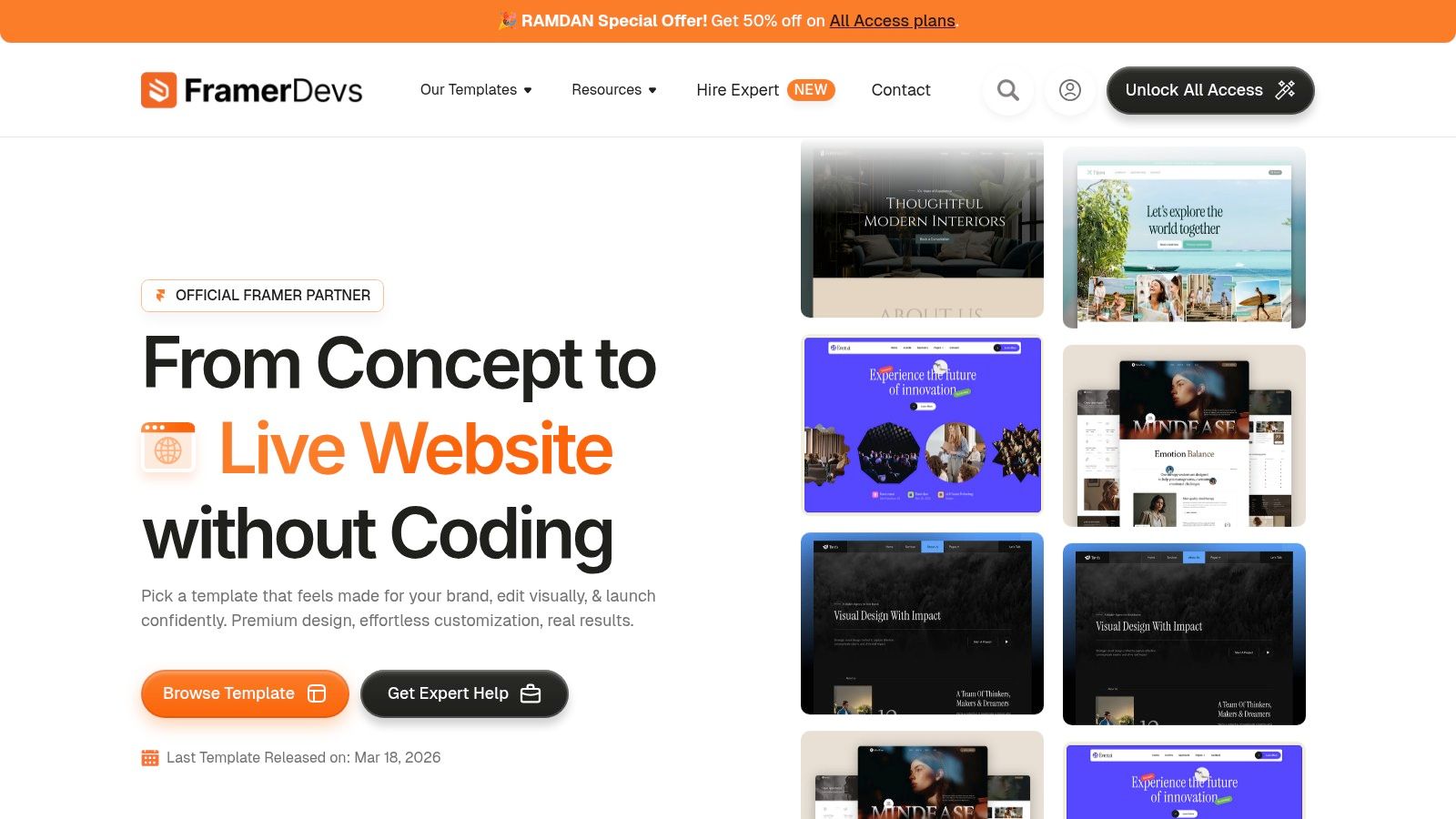
FramerDevs stands out by focusing on tangible business outcomes: speed, quality, and conversion optimization. Each template is meticulously crafted for modern no-code builders using Framer, ensuring pixel-perfect execution and a seamless workflow that helps businesses get to market faster.
Strategic Analysis: Why FramerDevs Excels
The core strength of FramerDevs lies in its ability to bridge the gap between professional design and rapid implementation. While inspiration galleries show you what's possible, FramerDevs delivers a ready-to-use product that embodies those successful patterns, saving countless hours of development and guesswork.
Key Insight: The inclusion of Figma source files with every template is a critical differentiator. It allows design teams to customize assets and layouts in their native environment before moving to Framer for development, ensuring brand consistency and a smoother handoff process.
This approach acknowledges that a template should be a powerful starting point, not a restrictive final product. By providing the source files and a free customization session, FramerDevs empowers users to make the design truly their own without needing to be a Framer expert from day one. This combination of pre-built quality and post-purchase support is a significant advantage for startups and agencies under tight deadlines.
Key Features & Benefits
Professionally Designed Templates: The library covers a range of business needs, from SaaS and agency sites to portfolios and service-based businesses. Each design is clean, modern, and built with conversion principles in mind.
Official Framer Partner: This partnership signals a high standard of quality and ensures templates are built using Framer's best practices for performance and responsiveness.
Figma Source Files Included: A major benefit for design-centric teams, allowing for deep customization and seamless workflow integration between design and development phases.
One-Time "All Access" Pass: Unlike the subscription-heavy model of many competitors, FramerDevs offers a one-time payment option for unlimited access to its entire template library. This provides exceptional long-term value for agencies or serial entrepreneurs.
Free Customization Session: This unique onboarding feature helps new users overcome initial hurdles, ensuring their site is configured correctly and looks polished upon launch.
Pricing and Access
FramerDevs employs a flexible pricing structure that caters to different needs. Users can purchase individual templates, access a selection of free templates, or opt for the All Access membership. The All Access pass is a one-time purchase that grants unlimited use of the entire library, including future releases, making it an incredibly cost-effective investment for businesses focused on growth.
Practical Takeaways
Accelerate Your Launch: Instead of building from zero, start with a professional, conversion-optimized foundation. Browse templates by your specific industry (SaaS, Agency, etc.) to find a layout that already meets your business goals.
Leverage Expert Support: Use the free customization session to get expert guidance on adapting the template to your brand. This ensures a polished final product without the typical trial-and-error.
Focus on Business, Not Code: By using a premium template, you can dedicate your valuable time to content, marketing, and customer acquisition instead of pixel-pushing and bug-fixing.
Website: framerdevs.com
2. Lapa Ninja
For those who believe that quantity can lead to quality, Lapa Ninja is an essential resource. It's a massive, long-running gallery dedicated exclusively to landing page design. Since 2015, it has curated over 7,300 designs, making it one of the most extensive libraries available for designers and founders seeking inspiration. This platform is less about deep-dive analysis and more about providing a broad, scannable overview of current and historical design trends.
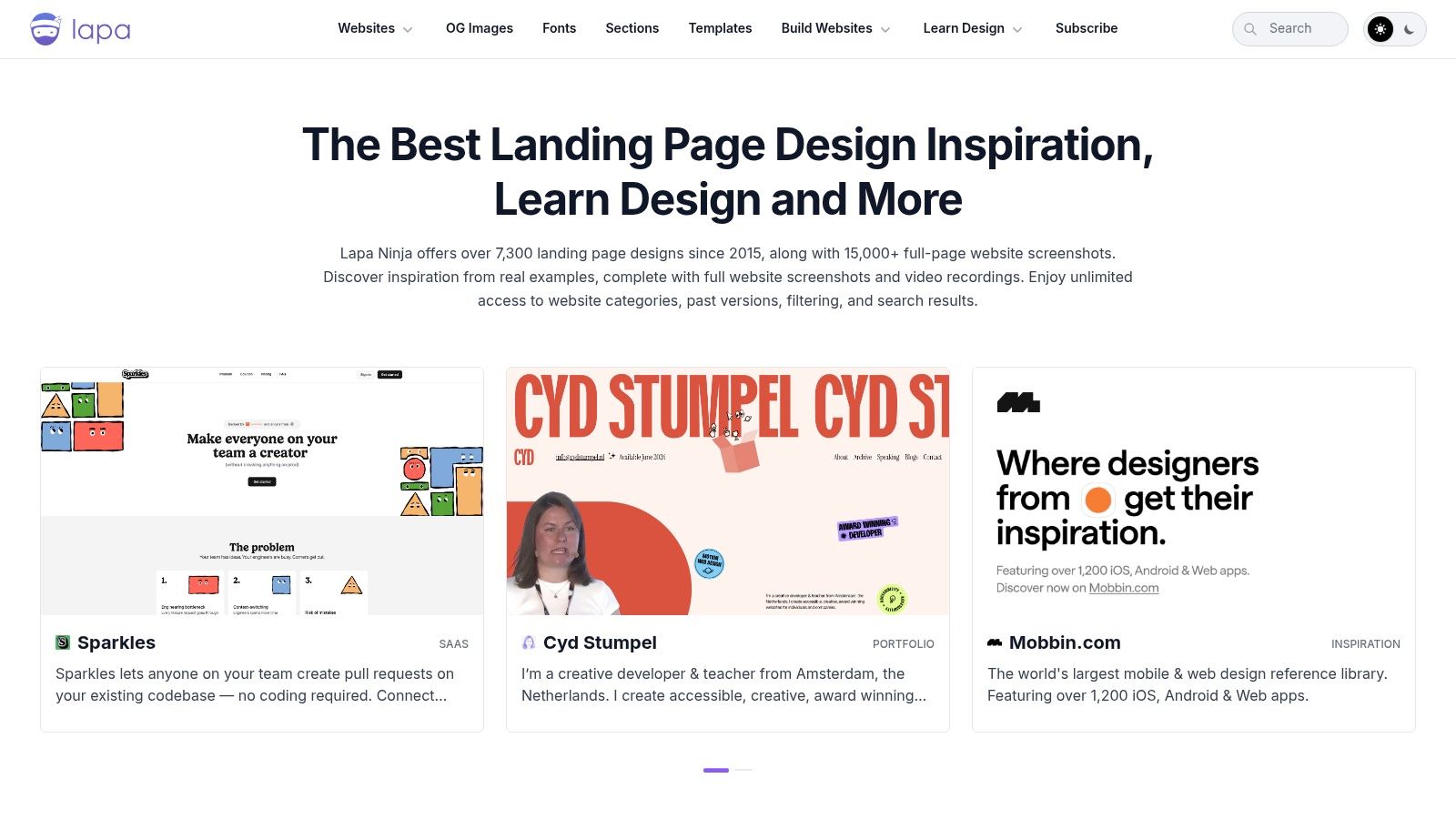
Lapa Ninja's strength lies in its meticulous organization and powerful filtering capabilities. You can quickly narrow down thousands of examples by category (like SaaS, AI, or agency), color palette, or even the technology used to build the site. This last filter is particularly useful for no-code creators who want to see what's possible with tools like Framer and Webflow.
What Makes Lapa Ninja a Great Source for Design Examples?
Lapa Ninja helps you move beyond a single hero shot and understand the full user journey. It offers full-page screenshots, allowing you to analyze the entire structure, flow, and layout of a page. You can study how elements like social proof, feature sections, and pricing tables are sequenced to guide the user toward conversion.
Here’s a breakdown of its key features:
Platform-Specific Filters: Isolate designs built with Framer, Webflow, or other platforms to benchmark against what your preferred tool can achieve.
Section-Level Views: Instead of just looking at the whole page, you can focus on specific blocks like headers, footers, or testimonials.
Video Recordings: See how animations and interactions come to life with video captures of the live sites.
OG Image Previews: A unique feature that lets you see how a page is presented when shared on social media, a critical detail for marketing campaigns.
How to Use Lapa Ninja for Your Next Project
While browsing endless examples can be inspiring, it can also lead to decision paralysis. To get the most out of Lapa Ninja, use it for targeted research. For instance, if you're struggling with a pricing section, filter for top SaaS landing pages and study only their pricing blocks. This focused approach saves time and provides actionable solutions.
However, remember that inspiration is just the starting point. Replicating a complex design from scratch is time-consuming and prone to errors in responsiveness and performance.
Pro Tip: Identify patterns and layouts on Lapa Ninja that align with your goals, then find a professionally designed template that already incorporates those elements. A high-quality template from FramerDevs, for example, gives you the aesthetic you want, built on a foundation optimized for speed, conversions, and SEO, saving you hundreds of hours.
Access to the full library and advanced features requires a Lapa Ninja Pro subscription, with pricing details available on their site. The free version still offers substantial value for casual browsing and initial idea generation.
3. Land-book
For designers who want to go granular, Land-book offers a unique approach to finding inspiration. It’s a vast, curated gallery that excels at breaking down websites into their core components. While it showcases full landing pages, its real power lies in its extensive, categorized library of individual website sections, making it an invaluable tool for solving specific design challenges block by block.
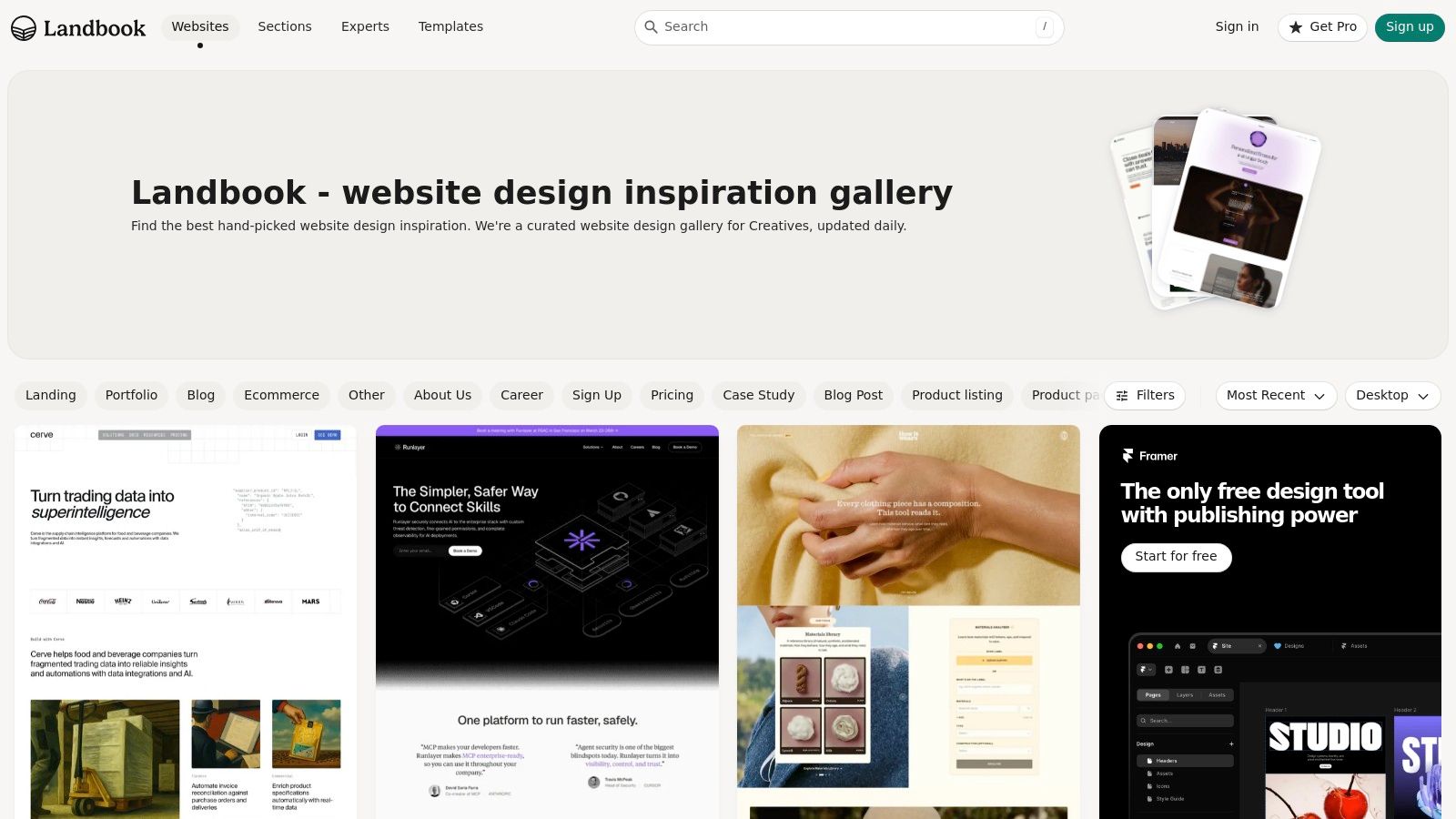
Land-book’s strength is its deep focus on section-level organization. With over 200,000 categorized sections, you can stop guessing how to build a high-converting hero or an effective testimonial block. Instead, you can directly compare dozens of real-world solutions for that exact element. This makes it one of the best resources for targeted research on landing page design examples.
What Makes Land-book a Great Source for Design Examples?
Land-book helps you zoom in on the building blocks of a great landing page. Rather than just seeing the final product, you can deconstruct it into its parts: headers, pricing tables, footers, feature grids, and more. This detailed perspective is perfect for refining specific parts of your project without getting distracted by the entire page.
Here’s a breakdown of its key features:
Extensive Section Library: Access a massive collection of specific page sections, perfect for comparing how different brands tackle the same design problem.
Boards for Organization: Save and organize your favorite examples into "Boards," creating personalized mood boards for different projects or clients.
Mobile and Desktop Previews: Easily toggle between mobile and desktop views to ensure the designs you're studying work well across all devices.
Curated Homepage: The homepage features a hand-picked selection of the latest and most notable website designs, offering a quick glimpse into current trends.
How to Use Land-book for Your Next Project
The best way to use Land-book is for surgical strikes. If your hero section feels flat or your call-to-action isn't compelling, filter the gallery for "Heroes" or "CTAs" and study the patterns. Look at the copywriting, button placement, and imagery used in top-performing examples to gather actionable ideas.
While the free version is useful, a Pro subscription unlocks its full potential with unlimited access to categories, sections, and boards. However, even with the best inspiration, building a complex section from scratch is difficult and can introduce performance issues.
Pro Tip: Use Land-book to identify the layout and style you need, then find a professional template that already has those components built in. A premium template from FramerDevs gives you a battle-tested structure, optimized for speed and conversions, so you can launch a polished, high-performing site in a fraction of the time.
Access to Land-book's core gallery is free, while the Pro plan offers expanded features for a very affordable price, making it accessible for frequent users.
4. Landingfolio
For designers and developers who want to bridge the gap between inspiration and execution, Landingfolio is a powerful resource. It goes beyond a simple gallery of landing page design examples by integrating a massive library of ready-to-use components and templates. This approach is perfect for those who want to move quickly from seeing an effective design to implementing it in their own projects.
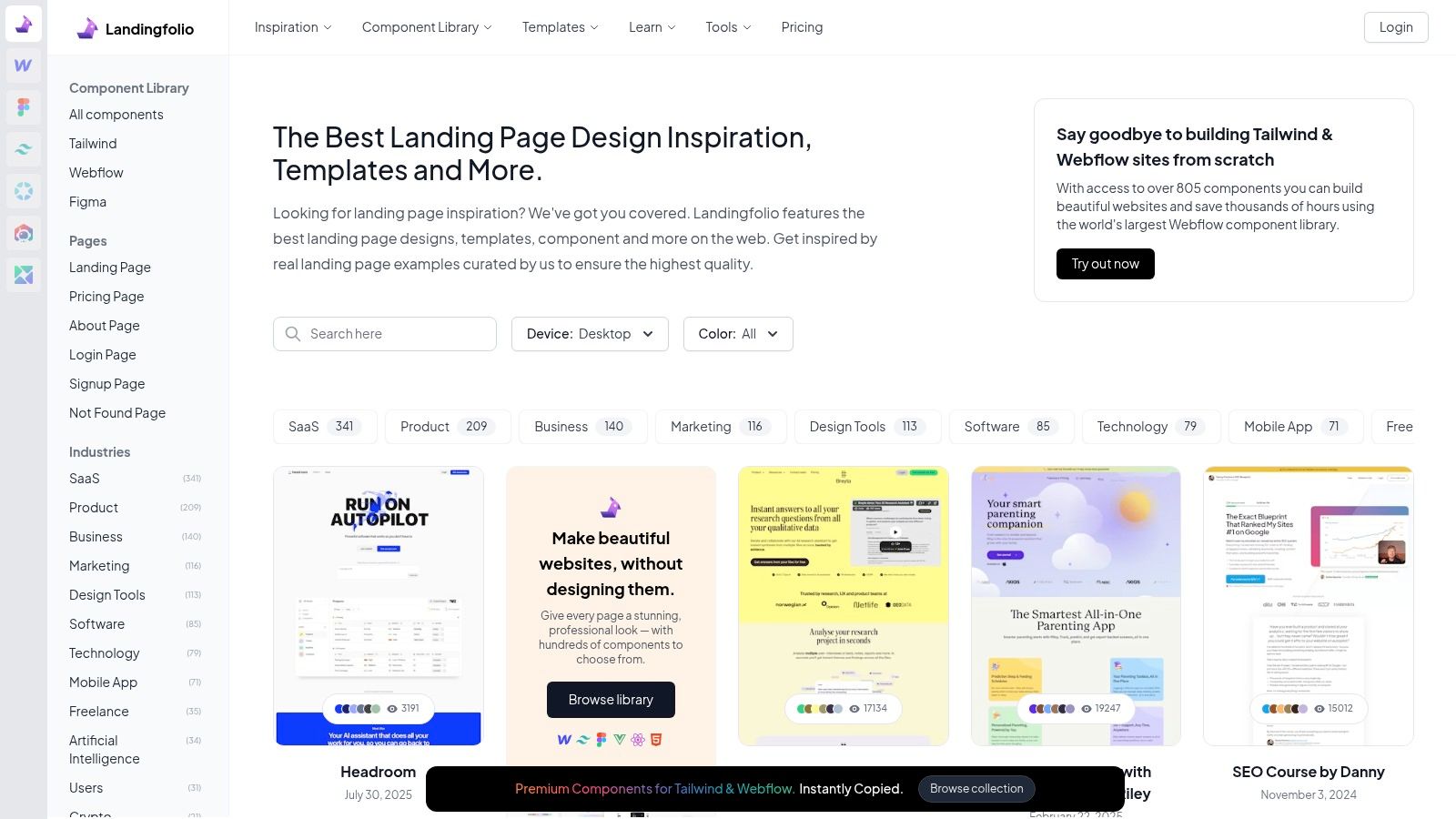
Landingfolio's core value is its dual focus on inspiration and practical application. You can browse thousands of high-quality landing pages, then immediately access components and templates built for popular tools like Tailwind CSS, Webflow, and Figma. With over 4,650 component examples and a constant stream of new additions, it's a dynamic library that helps you build faster without sacrificing quality.
What Makes Landingfolio a Great Source for Design Examples?
Landingfolio shortens the path from idea to production. Instead of just looking at a static screenshot and trying to rebuild it, you can find a similar, pre-built component and drop it directly into your project. This is a significant time-saver for teams working with Tailwind, Webflow, or Figma. The platform is well-organized, allowing you to filter by industry or specific page types like pricing or contact pages for targeted research.
Here’s a breakdown of its key features:
Extensive Component Library: Access over 700 pre-built components for Tailwind, Webflow, and Figma, speeding up your development workflow.
Targeted Filtering: Easily find inspiration by filtering for SaaS, agency, or other industries, as well as specific page types like "Pricing Pages."
Templates Included: A Pro membership bundles access to the component library with a collection of full-site templates for even faster project starts.
Frequent Updates: The library is constantly growing, with dozens of new components and examples added each month to reflect current trends.
How to Use Landingfolio for Your Next Project
Use Landingfolio when speed is a priority. If you see a hero section or feature grid you like, search the component library to see if a similar asset already exists. This is especially useful for no-code and code-based teams that are comfortable working within Webflow, Figma, or Tailwind environments.
However, keep in mind that using these components requires some technical familiarity with the target platform. It's not a one-click site builder, and some elements may need adjustments to fit your brand and existing design system. For a deeper understanding of what makes these designs effective, you can explore the fundamental landing page best practices.
Pro Tip: Using pre-built components can be a huge time-saver, but building an entire site piece-by-piece can introduce inconsistencies. For a cohesive and professionally polished result, consider starting with a premium template. A high-quality Framer template from FramerDevs provides a complete, conversion-optimized foundation, ensuring your site is not only beautiful but also fast, responsive, and ready to grow your business from day one.
A Landingfolio Pro subscription is required to access the full component and template library. The free version is still useful for browsing the main gallery of landing page design examples.
5. One Page Love
For those who appreciate the power of brevity, One Page Love is a long-standing authority on single-page website design. Founded in 2008, it serves as a curated gallery that celebrates websites that deliver their entire message on a single, scrolling page. It has a dedicated 'Landing Page' category, making it a prime resource for finding concise and impactful landing page design examples that prioritize a linear user journey.
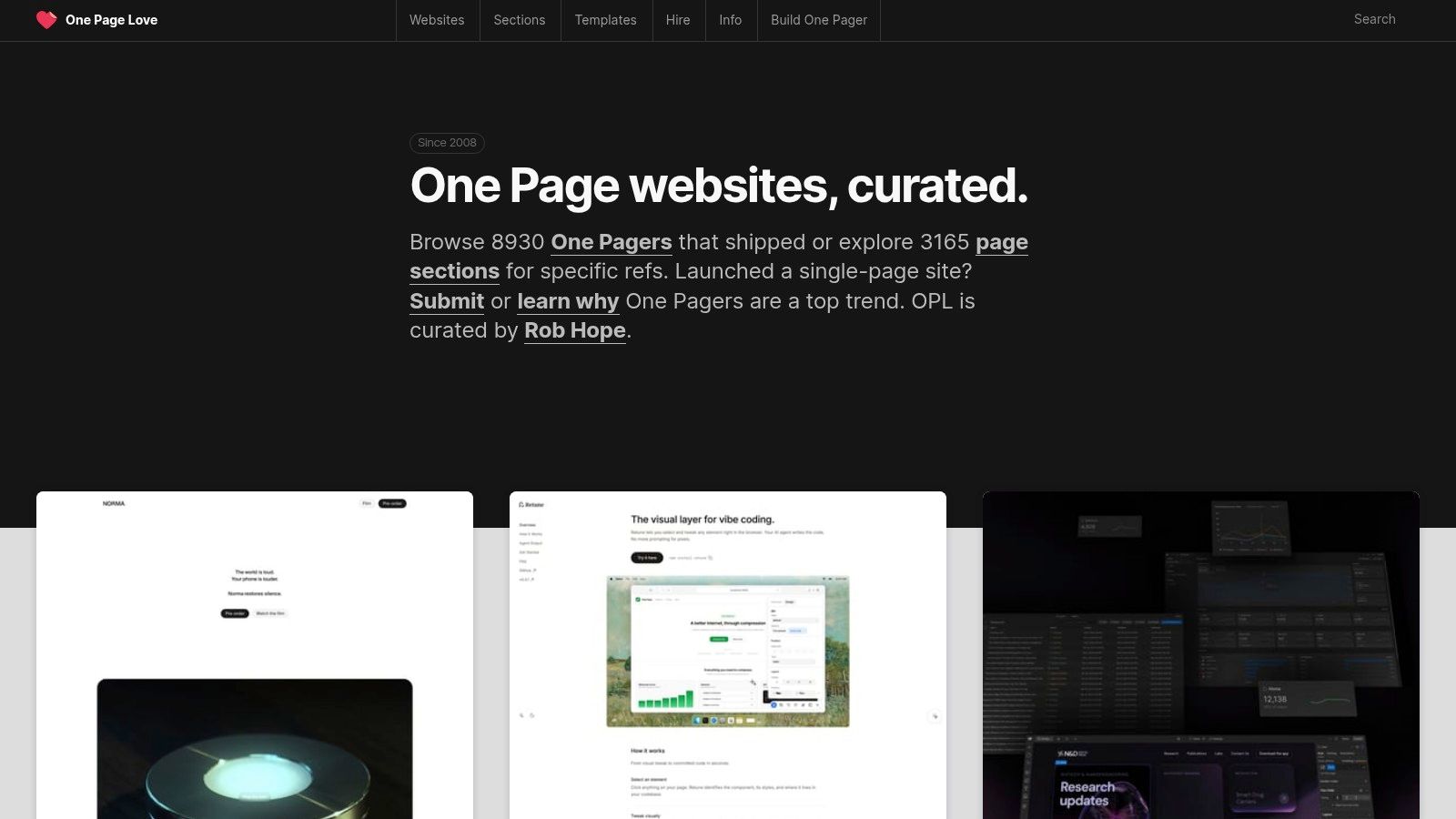
One Page Love’s main appeal is its focus on clarity and efficiency, which is perfect for startups, event promotions, and product launches. It features editorial reviews that point out noteworthy elements and provides full-length screenshots. The platform also integrates a template marketplace, offering a direct bridge from inspiration to implementation across builders like Framer, Webflow, and WordPress.
What Makes One Page Love a Great Source for Design Examples?
One Page Love is excellent for studying how to tell a complete story within a constrained format. It teaches you how to guide users from a strong opening hook to a final call to action without any distracting navigation. This focus on a single, cohesive narrative is a masterclass in conversion-focused design.
Here’s a breakdown of its key features:
Section-Specific Browsing: Filter designs by specific components like "Pricing Tables," "Testimonials," or "FAQ," allowing you to find solutions for individual sections of your page.
Integrated Template Marketplace: If you find a design you admire, you can often find a similar template for Framer, Webflow, or other platforms directly through the site.
Curated Reviews: Each featured site includes a brief review from the editor, highlighting what makes the design effective from a UX and visual standpoint.
Focus on Narrative Flow: The single-page format forces designers to be strategic about content hierarchy and flow, providing great lessons in user journey mapping.
How to Use One Page Love for Your Next Project
Use One Page Love to master the art of concise communication. Since its examples are all single-page sites, it’s an ideal resource for learning how to ruthlessly edit your content and present only the most critical information. The platform is particularly useful for validating ideas for MVPs (Minimum Viable Products) or campaign-specific pages where speed and a clear message are essential.
While the site offers direct links to templates, remember that a beautiful design is only one part of the equation. A successful landing page also requires a technically sound foundation.
Pro Tip: Draw inspiration from the clean, narrative-driven layouts on One Page Love, then implement those ideas using a professional template. High-quality templates from FramerDevs are built to incorporate these proven design patterns while also ensuring your site is optimized for performance, SEO, and responsiveness. This approach gives you the best of both worlds: a great design and a solid business tool.
Access to the gallery at onepagelove.com is free. The template marketplace contains both free and paid options from various creators.
6. SaaS Landing Page
For founders and designers operating in the software-as-a-service world, specificity is key. SaaS Landing Page is a highly focused gallery dedicated exclusively to SaaS marketing and product pages. This niche resource cuts through the noise of broader design galleries by concentrating on the unique patterns, copy conventions, and conversion goals specific to B2B and B2C software products.
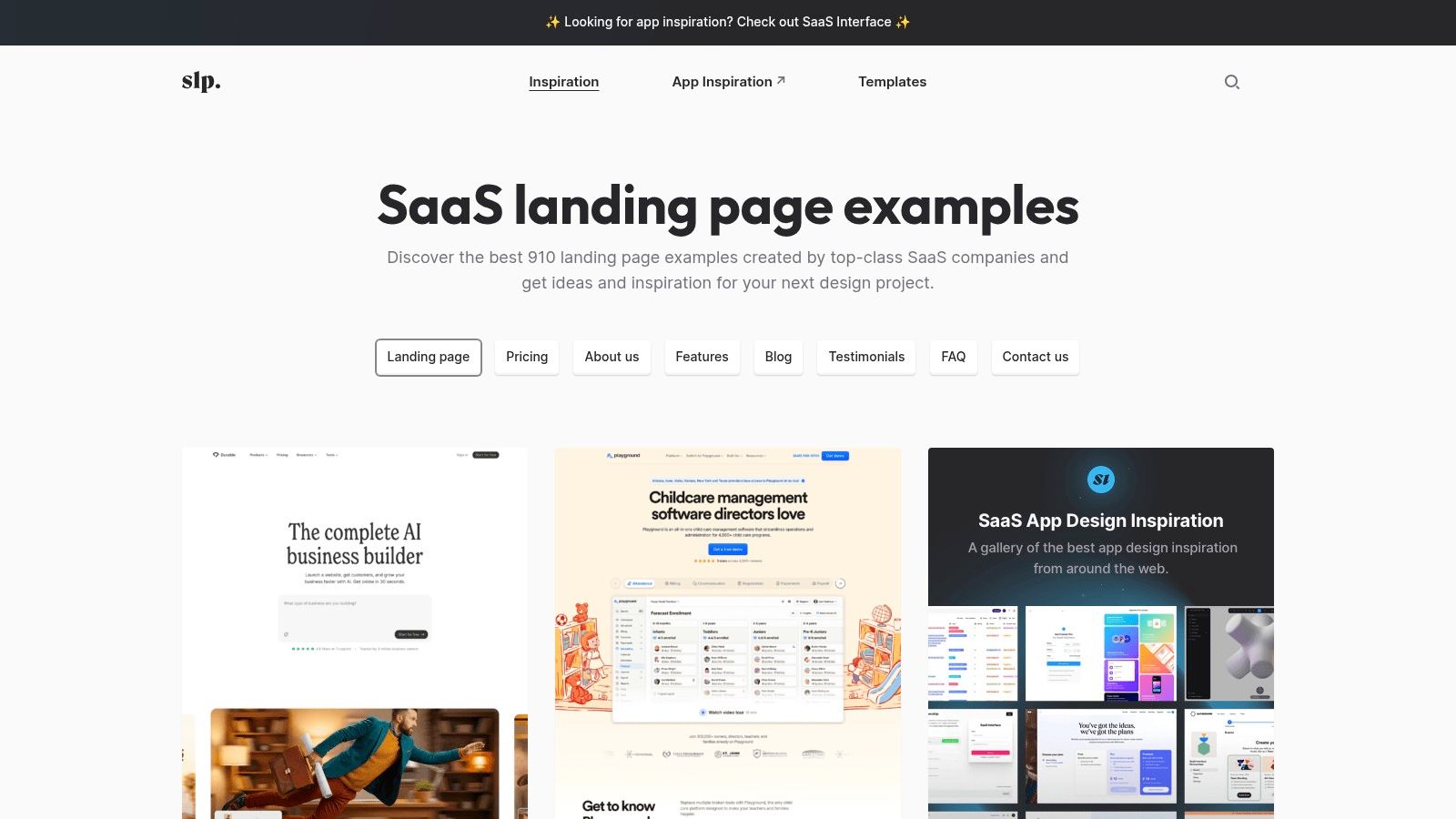
Unlike massive, all-encompassing libraries, SaaS Landing Page provides a curated collection of over 900 examples. Its strength lies in its tight organization by page type. This allows you to go beyond just the main landing page and study how successful software companies structure their Pricing, About, Features, and Testimonial pages, giving you a complete view of a SaaS marketing funnel.
What Makes SaaS Landing Page a Great Source for Design Examples?
This platform is an excellent tool for understanding industry standards and user expectations. By focusing solely on SaaS, it helps you quickly identify common layouts for feature showcases, CTA placements (like "Start Free Trial"), and social proof sections that resonate with software buyers. It’s less about artistic flair and more about proven, effective design.
Here’s a breakdown of its key features:
SaaS-Specific Categories: Filter examples by page type, including Landing, Pricing, Blog, Testimonials, and FAQs, to solve specific design challenges.
Direct Live Site Links: Every example links directly to the live website, allowing you to experience the page in its natural environment and analyze interactions.
Curated Resource Directories: The site also points to useful templates and other resource collections, making it a handy starting point for any SaaS project.
Tight Focus: The narrow focus on software pages eliminates irrelevant examples from e-commerce or portfolios, saving you valuable research time.
How to Use SaaS Landing Page for Your Next Project
Use SaaS Landing Page to benchmark against competitors and understand category norms. If you are building a new pricing page, for example, you can filter for that specific category to see how others in your space handle feature tiers, annual discounts, and FAQ sections. This helps ensure your page meets the expectations of your target audience.
While the gallery offers great structural and layout ideas, it provides less guidance on technical execution or performance. The real challenge is translating these visual ideas into a high-performing, responsive site.
Pro Tip: Identify a few layouts you admire on SaaS Landing Page and look for common patterns. Instead of trying to build a complex design from scratch, find a premium template that already masters these elements. You can find expertly crafted SaaS landing page templates from FramerDevs that are pre-optimized for conversions and SEO, giving you a professional result in a fraction of the time.
Access to the gallery is free, making it an accessible resource for startups, solo founders, and freelance designers working on SaaS projects.
7. Landing.Gallery
For designers who value recency and technical context, Landing.Gallery offers a modern and focused library of landing page design examples. It distinguishes itself with freshness indicators, verifying that the examples you’re browsing reflect current design patterns, not outdated trends. This makes it an excellent resource for staying on top of what’s new and effective in the web design world.
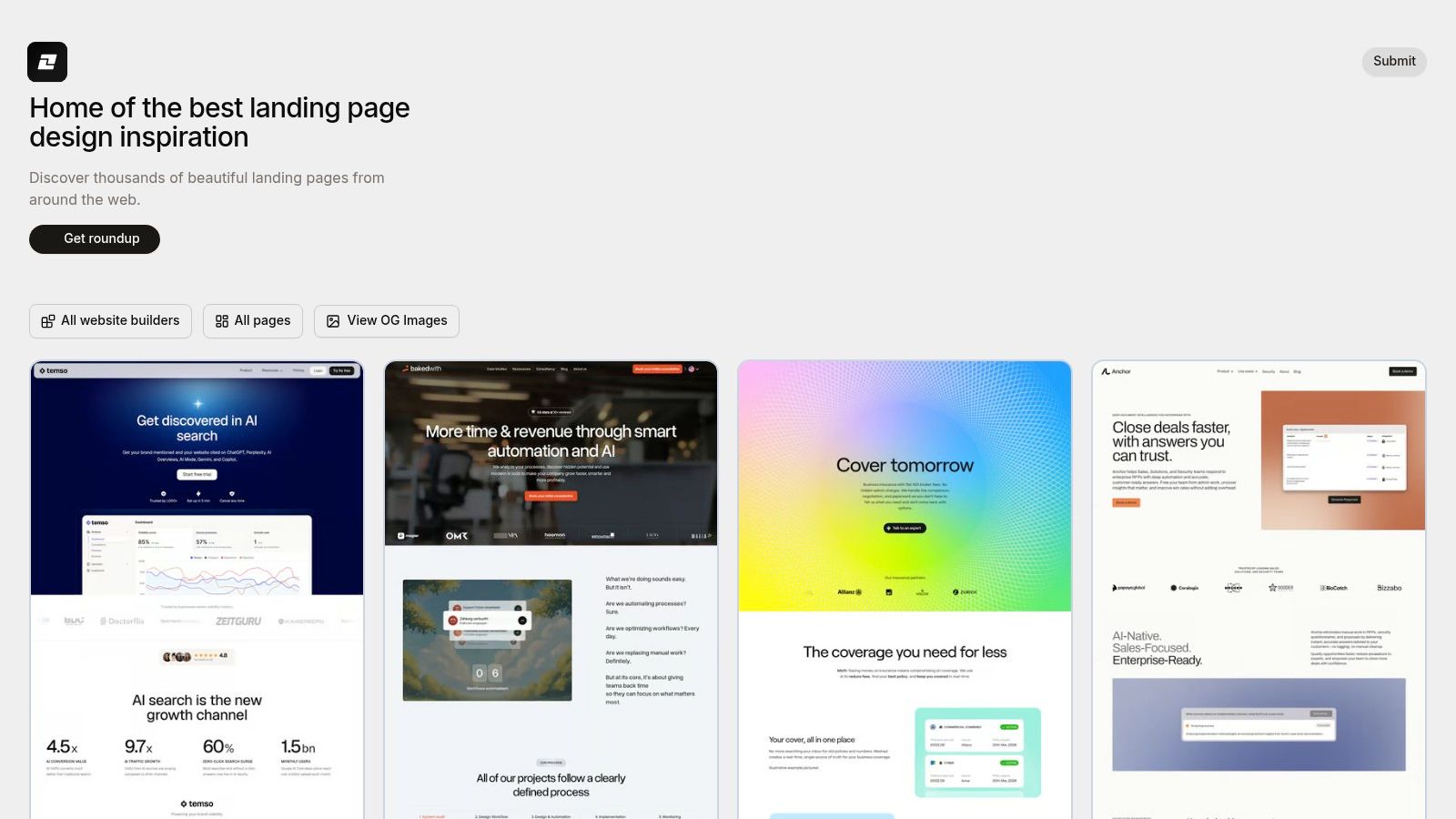
The platform’s major advantage is its powerful filtering system, especially the ability to sort designs by the specific website builder used. If you’re a Framer or Webflow creator, you can instantly see what your peers are building, setting a realistic benchmark for your own projects. This technical focus, combined with filters for page types like pricing or about pages, allows for very targeted research.
What Makes Landing.Gallery a Great Source for Design Examples?
Landing.Gallery is built for practical application. Its emphasis on verified, recent designs and the technology behind them helps you gather inspiration that is both relevant and achievable. Instead of just admiring a design, you can understand the tools used to create it, providing a clear path from idea to implementation.
Here’s a breakdown of its key features:
Builder-Specific Filters: Easily find and study landing pages built with Framer, Webflow, Shopify, and other popular platforms.
Recency Indicators: "Verified Fresh" tags ensure the designs are current, helping you avoid inspiration from inactive or old websites.
Page Type Organization: Drill down into specific sections of a website, such as pricing, careers, or even 404 pages, to solve targeted design problems.
Tech Stack Detection: The gallery credits tools like StackSee, giving you insight into the full technology stack behind an inspiring design.
How to Use Landing.Gallery for Your Next Project
To get the most value from Landing.Gallery, use its filters to match your exact project needs. For example, if you are building a new marketing site with Framer, filter for "Framer" and "SaaS" to see how leading companies are structuring their pages on the same platform. This saves you from the guesswork of adapting a design built with completely different technology.
While the gallery provides excellent blueprints, building a complex, high-performing page from a screenshot is a difficult task. It often leads to issues with responsiveness, load speed, and user experience.
Pro Tip: Use Landing.Gallery to identify layouts and user flows that resonate with your brand. Once you have a clear direction, find a professional template that already executes those ideas. A premium FramerDevs template, for instance, provides a polished, conversion-ready foundation that is optimized for performance and SEO, helping you launch a superior product in a fraction of the time.
Access to Landing.Gallery is free, making it a valuable tool for any designer's toolkit. While it may not have the sheer volume or historical depth of older galleries, its focus on fresh, technically-vetted examples makes it an indispensable resource for modern web creators.
Top 7 Landing Page Galleries Comparison
Service | Implementation Complexity 🔄 | Resource Requirements 💡 | Expected Outcomes ⭐📊 | Ideal Use Cases | Key Advantages ⚡ |
|---|---|---|---|---|---|
FramerDevs | 🔄 Low — no-code visual customization (Framer required) | Framer account, optional Figma; pay per template or one‑time All Access | ⭐⭐⭐⭐ Polished, high‑performance live sites; fast time‑to‑launch | Rapid launches for no‑code teams & solo creators | Official Framer partner; Figma files; free customization session; one‑time All Access |
Lapa Ninja | 🔄 Very low — browse & filter many examples | Mostly free; Pro features gated | ⭐⭐⭐ Broad inspiration and benchmarking; strong visual reference 📊 | Pattern research, platform benchmarking, historical analysis | Massive archive, full‑page/video views, platform filters |
Land‑book | 🔄 Low — section‑level browsing and saving | Free tier limited; affordable Pro for full access | ⭐⭐⭐ Good block‑level insights for design and comparisons 📊 | Comparing section solutions (pricing, hero, testimonials) | 200k+ sections, boards for organization, affordable Pro |
Landingfolio | 🔄 Moderate — from inspiration to implementation (components) | Familiarity with Tailwind/Webflow/Figma; Pro/templates available | ⭐⭐⭐⭐ Rapid implementation using components; reduces dev time 📊 | Teams wanting quick copy‑paste components for production | Large component library, prebuilt templates across stacks |
One Page Love | 🔄 Low — single‑page focused curation | Templates available across builders; mostly free browsing | ⭐⭐⭐ Clean, concise one‑page examples that convert visually 📊 | Startups and projects favoring single‑page launches | Editorial highlights, template marketplace across builders |
SaaS Landing Page | 🔄 Low — niche browsing by page type | Smaller DB; free browsing | ⭐⭐⭐ Targeted SaaS patterns and copy/layout conventions 📊 | B2B/B2C SaaS teams aligning to category norms | SaaS‑specific examples tagged by page type (pricing, features) |
Landing.Gallery | 🔄 Low — filtered browsing with freshness cues | Free browsing; membership details not prominent | ⭐⭐⭐ Verified, up‑to‑date examples for trend checks 📊 | Teams targeting a specific builder and current patterns | Freshness indicators, builder filters, regular verification |
From Inspiration to Implementation: Your Next Steps in Landing Page Design
We've explored an extensive collection of standout landing page design examples, breaking down the strategic thinking behind their success. From the slick animations of SaaS pages to the trust-building layouts of service providers, a clear pattern emerges: effective design is never accidental. It's a deliberate combination of psychology, user experience, and clear messaging.
You saw how top-tier pages master the art of the first impression with compelling hero sections. They guide users with intentional visual hierarchy and build confidence through well-placed social proof. Most importantly, every element serves a single purpose: to drive the visitor toward a specific action, whether it's signing up, making a purchase, or booking a demo.
Key Takeaways for Building High-Converting Pages
Synthesizing the insights from the examples we've analyzed, several core principles stand out. Keep these at the forefront of your next project:
Clarity Over Cleverness: Your value proposition must be understood in seconds. Avoid jargon and focus on the tangible benefit you offer the user.
A Singular, Compelling Goal: Every landing page should have one primary call-to-action (CTA). Multiple competing CTAs create confusion and dilute your conversion potential.
Build Trust Visually: Use testimonials, case study snippets, client logos, and security badges to alleviate user concerns and build credibility right away.
Guide the Eye: A strong visual flow is essential. Use whitespace, contrast, and layout to create a path that naturally leads the user's eye from the headline to the CTA.
Performance is a Feature: A slow-loading page is a conversion killer. Optimize your images, scripts, and fonts to ensure a fast, responsive experience on all devices.
Choosing Your Path: Tools and Templates
The analysis of these landing page design examples consistently highlighted the power of modern no-code tools like Framer and Webflow. They provide the creative freedom to build what you can envision without being bogged down by traditional development cycles.
Your choice between them often comes down to project needs and personal preference.
Framer is exceptional for designers who want to create highly interactive, visually rich sites with dynamic animations and a seamless design-to-publish workflow. Its component-based system is perfect for maintaining design consistency.
Webflow offers deep control over the website's structure and data with its powerful CMS. It's an excellent choice for content-heavy sites or projects requiring complex database integrations.
While building from a blank canvas is a great learning experience, it's not always the most efficient path to a business goal. Starting from scratch demands significant time for design, development, and, crucially, conversion optimization. You're essentially reinventing the wheel, a process fraught with potential missteps that can cost you leads and revenue.
Professional templates, like those offered by FramerDevs, offer a substantial head start. They are not just visually appealing; they are built upon the very principles we've discussed. These templates come pre-optimized for performance, responsiveness, and conversions, incorporating proven layouts and user flows. This allows you to bypass the initial setup and focus directly on what matters most: your content, messaging, and business objectives. You can launch a professional, high-performing page in a fraction of the time, giving you a critical speed-to-market advantage.
Ultimately, the goal is to transform inspiration into a tangible, conversion-focused asset for your business. By applying these strategic insights and choosing the right implementation method, you're well on your way to creating landing pages that not only look great but deliver measurable results.
Don't just get inspired by great design; implement it. FramerDevs offers a curated library of premium, conversion-optimized Framer templates that give you a professional foundation to launch faster. Skip the blank page and start with a template built on the successful patterns you've seen in these top-tier landing page design examples by visiting FramerDevs.



