Master the figma wireframe template: Boost Your Design Workflow
A Figma wireframe template is essentially a pre-made digital blueprint for your website or app. It gives you the bare-bones structure and layout, letting you map out user flows and content without getting sidetracked by fonts, colors, or other visual details.
Why Smart Teams Start with a Figma Wireframe Template
Staring at a blank Figma canvas is the slowest way to kick off a project. It’s a recipe for friction, endless debates, and wasted hours. The best design process doesn't start with pixels and pretty colors; it starts with a solid foundation.
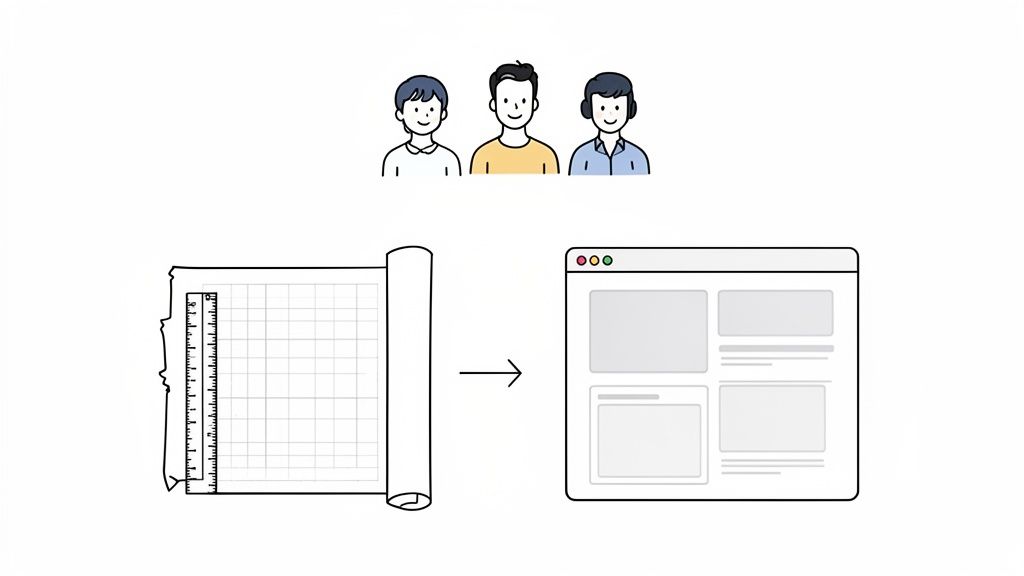
Think Like an Architect
A wireframe is just like an architect's blueprint for a house. Before the architect even thinks about paint colors or furniture, they have to define the layout—where do the rooms go? How do they connect? How will people move through the space?
A wireframe does the exact same thing for your digital product. It forces you to answer the hard questions first:
What’s the main goal of this page?
Where should the primary call-to-action live?
How will a user get from one section to the next?
Is the information laid out in a logical, intuitive way?
Answering these questions during the wireframe stage saves you from expensive headaches later. It’s far easier to move a simple gray box on a wireframe than it is to redesign a fully coded webpage.
The Real Reason Pros Use Templates
Sure, you can build a wireframe from scratch. But smart teams know that’s just reinventing the wheel. Using a professional Figma wireframe template is a strategic business decision, not just a design shortcut.
A professional template isn't just about saving time; it's about embedding proven UX principles and conversion strategies into your project from day one. You're starting on third base instead of at home plate.
Premium templates, like those from FramerDevs, are built with exactly this in mind. They’re designed to bridge the gap between a rough idea and a final product that’s optimized to convert. Instead of guessing which layouts work, you start with structures already tested for clarity, user experience, and business impact.
This approach sharpens your team’s focus and improves real-time collaboration by providing a shared, structured framework. That immediate boost in speed and quality frees you up to concentrate on what really matters: your unique content and business goals.
How Professional Wireframe Kits Boost Quality and ROI
Think of a wireframe as the architectural blueprint for your website or app. It’s the foundational plan where you map out every user flow and conversion path, long before you even think about picking colors or fonts. Starting this process with a professional Figma wireframe template isn't just a shortcut; it's a smart investment in quality and a higher return on investment (ROI).
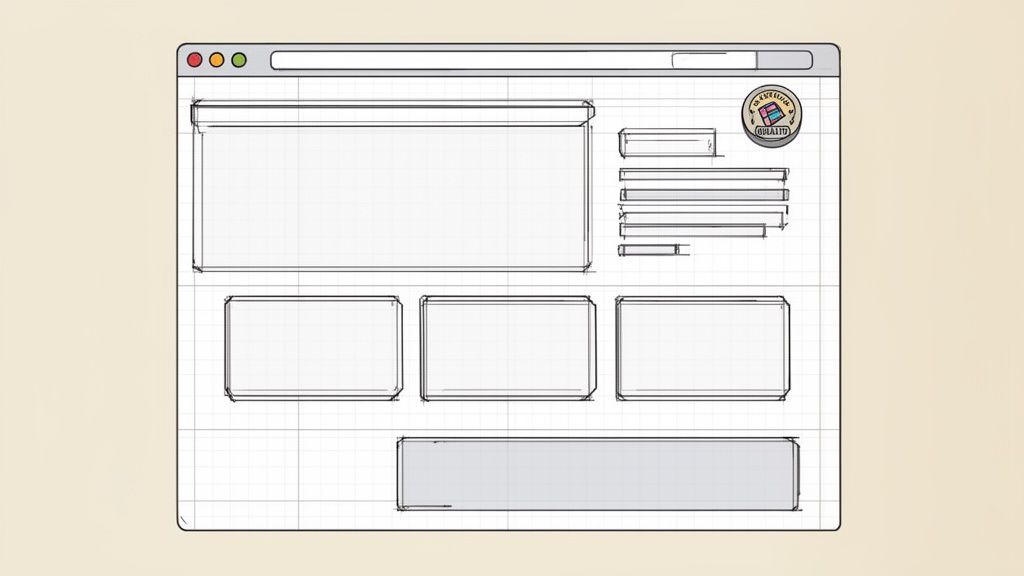
Using a pre-built kit bakes UX best practices into your project from day one. This helps you sidestep common design mistakes like confusing navigation, weak calls-to-action, or illogical page structures that kill conversions. Getting this right early on is critical for business success.
Unlock Speed and Quality Instantly
Building a wireframe from a blank canvas is like trying to invent a new recipe for every single meal. It’s slow, tedious, and you’re bound to make mistakes. Premium kits, like the ones included with our FramerDevs templates, are built on years of performance data and industry expertise.
By starting with a professional template, you skip the guesswork. You begin with a foundation that is already proven to convert, freeing up your team to focus on unique business goals and content—not on reinventing basic layout principles.
The impact of these kits is undeniable. Figma's wireframe templates have reshaped the design world, with its community library now offering over 1000+ examples. This massive collection helps creators get projects off the ground fast. In fact, Figma reports that 56% of its users' companies now integrate AI into their workflows, using templates to slash design time by up to 30%.
Let’s be honest: starting a project from scratch versus using a professional template is a trade-off between time, cost, and quality. Here’s a quick breakdown of what that looks like in the real world.
Building from Scratch vs Using a Professional Template
Aspect | Building From Scratch | Using a Professional Template |
|---|---|---|
Time to Market | Weeks or months of work. | Hours or days. |
Initial Cost | High, requires extensive design hours. | Low, a one-time investment. |
Quality & UX | Relies entirely on your team's expertise. | Built on proven UX best practices. |
Risk | High risk of costly structural mistakes. | Low risk, foundation is pre-validated. |
Focus | Spent on building basic structure. | Spent on strategy and unique content. |
As you can see, the choice becomes clear when you weigh the outcomes. A small upfront investment in a professional template from a trusted provider like FramerDevs pays for itself almost immediately.
A Smart Investment for Higher ROI
Choosing a professional wireframe kit delivers compounding returns. You save hundreds of development hours, launch your product faster, and start generating revenue much sooner. To get even more out of your process, you can explore some of the best free wireframing tools available, which pair perfectly with a premium kit to boost quality.
Ultimately, the decision is straightforward. A small investment in a professionally crafted wireframe kit yields a much higher ROI through accelerated timelines and a final product that's built for conversions from the start.
Customizing Your Figma Wireframe Step by Step
Turning a generic Figma wireframe template into a blueprint for your brand might feel like a huge task, but with a quality starting point, it's surprisingly straightforward. It’s not about reinventing the wheel. It’s about taking a proven structure and making it yours.
Think of it like this: a premium template gives you a solid foundation. The layout, user flow, and basic structure are already tested and optimized. Your job is to align that framework with your project’s goals, brand, and content. This way, you're not just moving boxes around; you're making smart, intentional choices that will carry all the way through to the final website.
Preparing for a Seamless Workflow
Before you even jump into Figma, a little prep work can save you hours down the road. The best customization starts with clarity, not just clicking around.
First, get crystal clear on your goals. For each page, what’s the one single action you want a user to take? Is it signing up for a trial? Booking a demo? Making a purchase? Every part of your layout should guide visitors toward that goal.
Next, pick the right template. While there are plenty of freebies out there, a professional template is a real investment in speed and quality. Templates from FramerDevs, for example, are built specifically for this workflow. They come with logically named layers and organized components, which makes customizing them a breeze and sets you up for a smooth handoff to a live Framer site later on.
Starting with a clean, well-organized template is non-negotiable for a professional workflow. It can cut your customization time in half and prevents the technical debt that comes from messy, unstructured files.
Modifying Layouts and Components
Once your goals are set and you have a solid template, it's time to start customizing. The great thing about a premium Figma wireframe template is that the heavy lifting—like the core structure and user flow—is already done. Your role is to refine it.
Start by applying your brand’s most basic elements. Even in a low-fidelity wireframe, you can set up global styles for fonts and spacing to create a sense of consistency.
Swap Out Content: Replace all the placeholder text and images with your actual content. This is a crucial reality check. Real content quickly shows you if the existing layout truly works or if it needs tweaking.
Adjust Components: Modify or switch out components like buttons, forms, and navigation to fit your project’s needs. If the template has a three-column pricing section but you only offer two plans, adapt the component. Don't force it.
Refine the Layout: Drag and drop sections to tell a better story. Does the "Features" section feel more powerful above the "Testimonials"? Make that change now, while it’s still quick and easy.
This methodical process makes sure every element in your wireframe has a purpose. By using a template from FramerDevs, you’re working with a system already built for conversion, letting you focus on strategy and branding instead of starting from absolute zero.
The Seamless Workflow from Figma to Framer
So you’ve finished customizing your Figma wireframe template. Now what? The next step is turning that static blueprint into a living, breathing website. This is where a lot of projects stall, getting bogged down in slow, technical handoffs that drain time and budget. But it doesn't have to be that way.
The goal isn't just to rebuild your design in a tool like Framer; it's to transfer it perfectly. You want to preserve every strategic layout choice, component structure, and responsive setting without writing a single line of code. Think of it like this: instead of building a house brick by brick from a blueprint, you’re assembling a high-quality, prefabricated home. The parts just click together.
Bridging the Gap Between Design and Launch
The secret to a pain-free transition is using a system where the parts are designed to fit. When your Figma wireframe and Framer template are built to work together, you eliminate almost all the friction. This is exactly why FramerDevs provides the matching Figma source file with every premium Framer template. It’s a closed-loop system designed for one thing: speed.
Instead of wrestling with misaligned elements or fighting with styles that don't match, you start with assets that are already in sync. This simple change turns a process that used to take weeks into something you can finish in a few clicks.
It all starts with a clear plan. You define your goals, pick a template that gets you most of the way there, and then customize it.
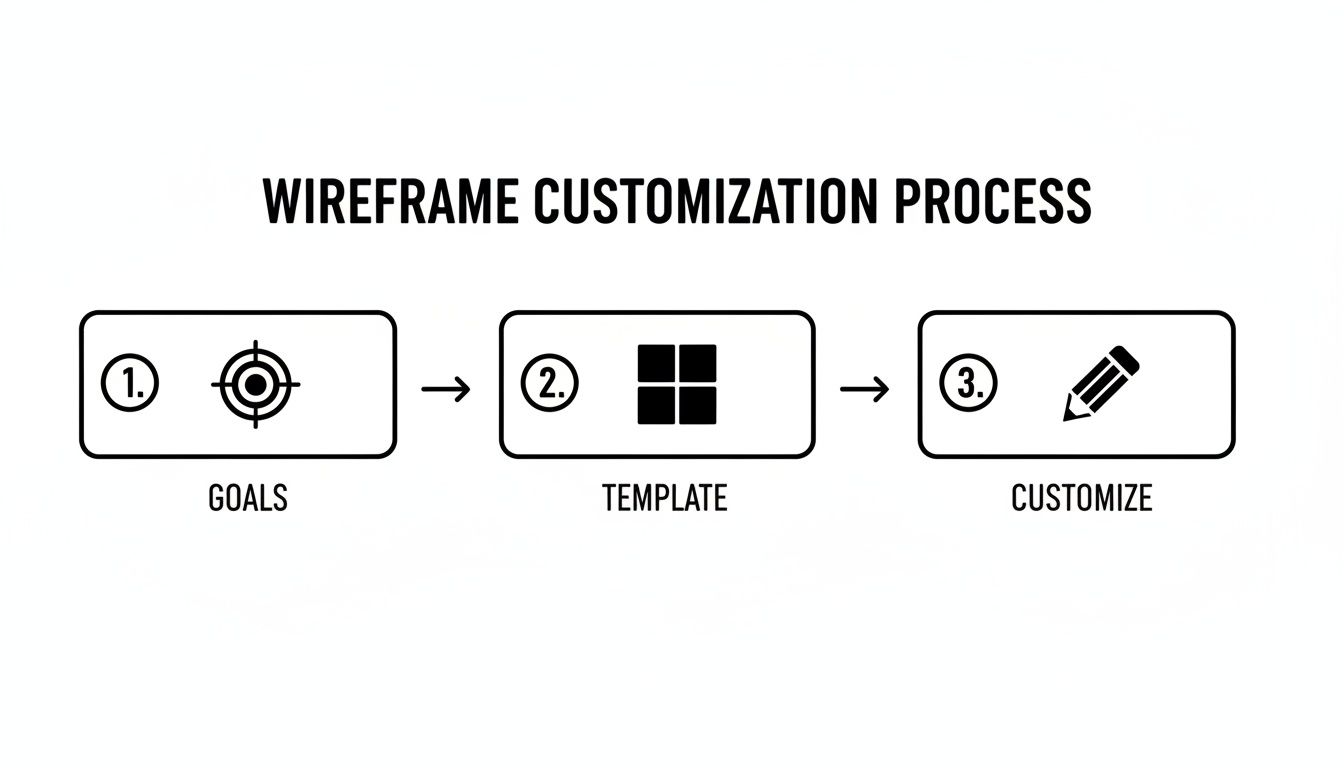
This simple process shows how a professional template acts as the bridge connecting your goals to the final design. It makes the entire workflow predictable. For more ideas on improving your process, check out our guide on streamlining workflows with integrated SaaS tools.
From Static Mockup to Interactive Reality
There are a few ways to get your design from Figma into Framer, but the most direct method is simply copying and pasting. Using a Figma plugin, you can select your finished frames, copy them to your clipboard, and paste them directly onto the Framer canvas. Because Framer and Figma share the same DNA—things like auto-layout and component properties—the translation is stunningly accurate.
This direct copy-paste method is the most powerful benefit of a unified ecosystem. It ensures that 100% of your design integrity is maintained, including responsiveness, component states, and spacing, turning your static wireframe into a pixel-perfect, live site instantly.
The tools themselves are pushing us in this direction. Experimental navigation and AI-driven prototyping are taking over, with an estimated 34% of designers expecting to ship AI products in 2025—a massive 55% jump from the previous year. Figma's new features are empowering no-code teams to create these immersive experiences, which perfectly mirrors our mission at FramerDevs: get you from concept to live site, fast. You can dive deeper into these web design trends on Figma's resource library.
How to Optimize Your Wireframe for Better Conversions
A beautiful design is nice, but a design that gets results is everything. This is where we stop talking about just building a site and start talking about building a business asset. Your wireframe isn’t just a layout—it’s the strategic blueprint that decides how well your site will turn visitors into customers. Every single choice, from a button’s placement to the length of a form, directly impacts your success.
When you start from scratch, you’re basically guessing what works. A professional Figma wireframe template is your first real step toward a conversion-focused design because it’s built on principles that are already proven to work. At FramerDevs, our premium templates come with these conversion drivers baked right in, giving your project a massive head start.
Laying the Foundation for Results
A wireframe built for conversions focuses on three things: clarity, guidance, and simplicity. Every element needs to work together to create a smooth, frictionless journey for the user.
Strategic CTA Placement: Your main calls-to-action belong above the fold, and you should repeat them logically as the user scrolls. The goal is to make the next step completely obvious and effortless.
Clear Value Proposition: The very first thing a user sees has to answer the question: "What's in it for me?" Your wireframe must dedicate its prime real estate to a headline and sub-headline that deliver your value proposition instantly.
Simplified Forms: Nobody likes filling out long, complicated forms. They are conversion killers. Your wireframe should define the absolute minimum number of fields you need. If you need more info, use multi-step forms to make the process feel less intimidating.
Building a site that actually performs takes a solid understanding of user behavior. To make sure your wireframes lead to high-performing pages, it pays to incorporate these essential landing page design best practices.
Designing for Modern User Behavior
The way people use the web is always changing, and your wireframe has to keep up. Data shows that the average mobile scroll depth is just 45%, which means prioritizing your most critical information above the fold is non-negotiable.
And it gets more serious. The Baymard Institute found that the cart abandonment rate is a shocking 70.22%, with much of that blame falling on confusing checkout flows. A template-optimized process isn't just a nice-to-have; it's a requirement. With more than half of all web traffic now on mobile, responsive design is the baseline. You can dig into more of these crucial stats in Figma's design statistics reports.
A professional template from FramerDevs is your secret weapon. We’ve already done the research and baked these optimizations into every layout, ensuring your final product is not only beautiful but also a high-performing business asset ready to convert.
By starting with a conversion-first mindset at the wireframe stage, you’re doing more than just building a website. You are engineering a powerful tool for business growth, saving yourself countless hours and maximizing your return on investment from day one.
Launch Your Next Project with a FramerDevs Template
We’ve walked through how a professional Figma wireframe template can completely change your design process. It shifts your energy from just building layouts to actually engineering business results. But the path from a blank canvas to a high-performing website is full of traps, and you don’t have to go it alone.
While starting from scratch is always an option, the fastest and most reliable way to launch a successful site is by using a system that’s already been proven to work. This is where FramerDevs, as experts in premium Framer templates, gives you a serious leg up. We don't just sell templates; we offer a complete ecosystem built to accelerate your journey from a simple idea to a live site that converts.
The FramerDevs All-In-One System
When you pick one of our premium templates, you aren’t just getting a pretty design. You’re getting a full, expert-backed solution that gives you everything needed for a smooth and efficient workflow.
Premium Framer Template: A pixel-perfect, responsive, and performance-optimized website that’s ready for your content from day one.
Matching Figma Source File: The exact Figma wireframe template used to build the site, making sure your design and development are perfectly in sync.
Beginner-Friendly Documentation: Simple, clear instructions that guide you through every step of customizing your new site.
Free Customization Session: A one-on-one call with our team to help you get every last detail just right.
Investing in a FramerDevs template means you're buying speed, quality, and confidence. Our system is built to remove the friction between design and launch, saving you hundreds of hours and ensuring your final site is optimized for conversions right out of the box.
Instead of fighting with technical problems or second-guessing your design choices, you get to focus on what actually matters: growing your business. Our templates are more than a starting point—they’re a strategic tool designed to deliver real, tangible results.
Ready to see what a difference an expert-backed system can make? Check out our library of premium Framer templates and find the perfect foundation for your next project.
Frequently Asked Questions
Got questions? You're not alone. Here are some of the most common questions we get about turning a Figma wireframe template into a live site with Framer.
Can I Use a Figma Wireframe Template for a Real Website?
Yes, but not directly. Think of a Figma wireframe as a detailed blueprint for a house—it shows you where everything goes, but you can't live in it. It's a static design, not a functional website.
The real work begins when you translate that blueprint into a live, interactive site using a tool like Framer. A professional template from FramerDevs makes this easy by giving you both the Figma file and the matching, ready-to-launch Framer site, ensuring speed and quality.
Why Not Just Use a Free Template?
Free templates can be tempting, but they often create more problems than they solve. You might get a design that looks good at first glance, but underneath, you'll find disorganized layers, poor responsiveness, and zero optimization for conversions. This means you end up spending hours fixing someone else’s messy work.
Investing in a premium template is an investment in speed and quality. You're not just buying a design; you're buying a pre-vetted, conversion-optimized system that saves you from costly mistakes and technical headaches down the line. It's a smart business decision.
How Does FramerDevs Accelerate the Workflow?
Our whole process is built for speed. Every FramerDevs template includes the exact Figma source file it was built from, giving you a perfectly unified system. You can customize the wireframe in Figma, then immediately apply those changes to the Framer template without rebuilding anything from scratch.
It completely eliminates that frustrating, time-consuming gap between design and development. You get:
Speed: Go from an idea to a polished, live website in hours, not weeks.
Quality: Start with a solid foundation built on proven UX best practices.
Confidence: Launch a site that's already optimized for performance and designed to convert.
Building a great website shouldn't feel like a struggle. A professional template from an expert provider like FramerDevs isn't just a shortcut; it's a smarter, more direct path to launching a high-quality product that actually delivers business results.
Ready to build faster and smarter? Explore the premium template library from FramerDevs and get the matching Figma files you need to accelerate your next project. https://framerdevs.com
Written with the Outrank tool



