The Best Drag and Drop Website Builders in 2026
When it comes to the best drag and drop website builders, you’ll run into names like Framer, Webflow, Wix, and Squarespace. Each platform shines in its own way, so your choice really boils down to what you value most: creative freedom, dead-simple usability, or professional-grade power.
Why Drag and Drop Builders Define Modern Web Design
Staring at a blank canvas can be intimidating. It's why drag and drop website builders have become the go-to for millions of businesses and creators who are choosing these visual tools over writing code from scratch. They’re drawn in by the obvious wins: speed, lower costs, and accessibility.
This isn’t just about cutting corners; it’s about getting a site live and iterating faster than was ever possible before. The numbers back this up. The drag-and-drop market now powers over 18 million websites globally, and the entire website builder market is on track to hit USD 3.57 billion in 2026, with forecasts reaching USD 7.67 billion by 2031. For more on this market shift, SiteBuilderReport.com offers some great insights.
The Trade-Off Between Simplicity and Strategy
Here’s the catch, though. While these platforms empower anyone to build a website, creating a professional, high-converting business asset is a different ballgame. The gap between a basic page and a site that actually drives growth is massive.
This is where a strategic shortcut comes in handy. A blank canvas might offer endless creative freedom, but it also assumes you have deep expertise in critical areas like:
Conversion Rate Optimization (CRO): Knowing how to structure a page to guide visitors toward a specific goal.
User Experience (UX) Design: Making sure the site feels intuitive and works beautifully on any device.
Performance Engineering: Optimizing every single element for lightning-fast load times.
Just look at this interface from Framer, one of the top professional builders.
It shows you the incredible power at your fingertips, but it also reveals the complexity of building a pixel-perfect, high-performance website from the ground up.
The most powerful tools don't guarantee the best results. Success comes from combining a great platform with a sound strategy, which is often jump-started by using professionally designed templates.
Bridging the Gap with Professional Templates
This is exactly where high-quality assets, like the premium templates from FramerDevs, come into play. As experts in creating premium Framer templates, we know that starting from zero is a business liability. Instead, you can begin with a foundation that’s already performance-tuned, conversion-optimized, and built by specialists who live and breathe web design. You get to harness the full power of a tool like Framer without the steep learning curve or the long development hours.
At the end of the day, your goal is to launch a successful business, not just a website. Starting with a professionally crafted template lets you focus on running your business, confident that your online presence is built to be a growth engine from day one. To help you choose the right platform, our latest research breaks down the best drag and drop website builders on the market today.
How to Choose the Right Website Builder for Your Project
Let's be real—not all drag-and-drop builders are the same. To cut through the marketing noise, you need to know what your project actually needs to succeed down the road, not just what looks easy today.
The "best" platform is always situational. What a solo founder needs is completely different from a growing SaaS company or a busy design agency. The right choice is about matching the tool to your goals, not just picking the flashiest one.
Evaluate Based on Long-Term Needs
The builder you pick today directly impacts your growth tomorrow. Before you commit, you have to look at any platform through the lens of these critical business needs:
Design Flexibility: Can you actually bring your brand’s vision to life, or will you be stuck inside a rigid layout?
Performance and SEO: Does the builder create fast, lightweight sites that Google will actually rank?
Scalability: Will this platform grow with you, or will you hit a wall in a year and face a painful migration?
E-commerce Readiness: Can it handle sales smoothly? Whether you’re selling a few digital downloads or a full inventory.
Integration Capabilities: Does it play nice with the other tools you rely on to run your business?
This simple decision tree nails the very first question you should be asking yourself.
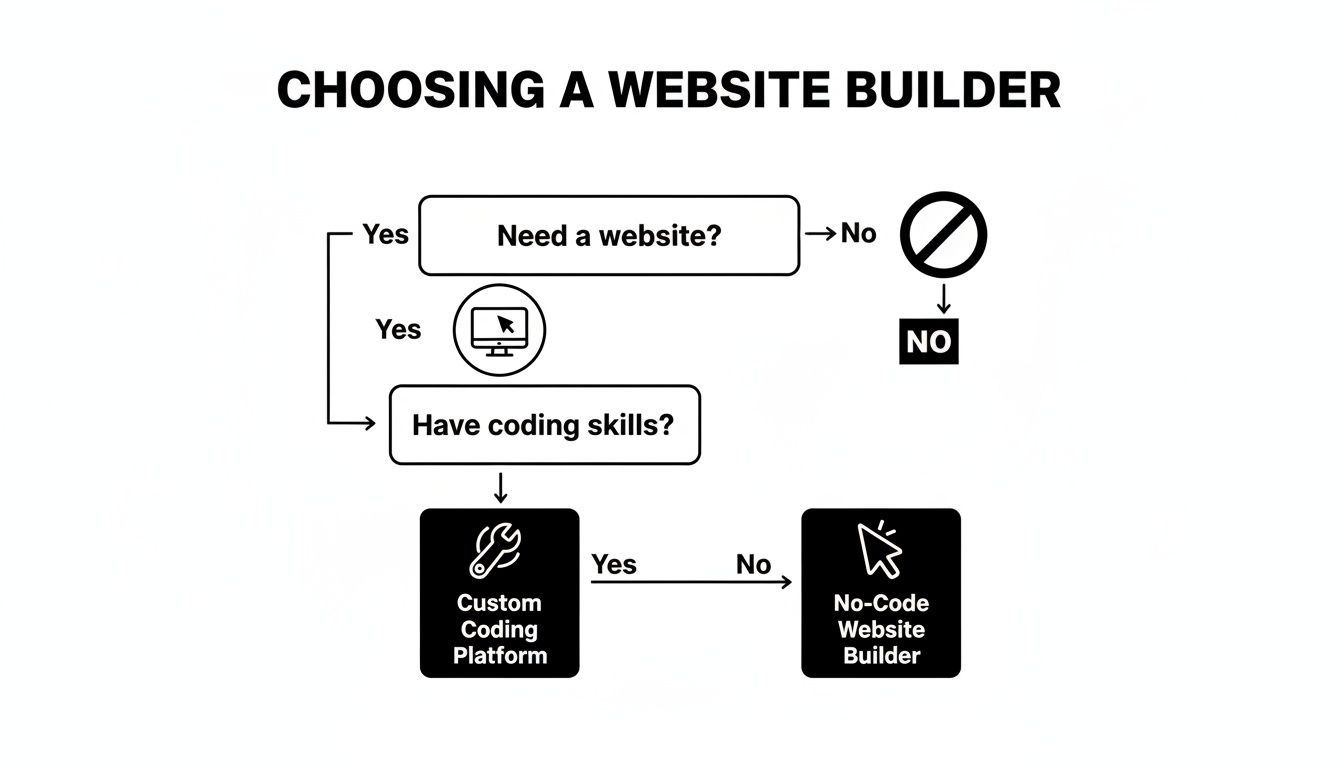
As you can see, your technical skill set is a huge factor in whether a no-code tool is the right fit or if a custom-coded solution makes more sense.
Beyond the Blank Canvas
Staring at a blank canvas on a powerful builder feels freeing at first, but it almost always leads to a huge time sink and unexpected technical headaches. It demands a deep knowledge of conversion design, user experience, and performance—skills that take years to master. This is where a strategic shortcut gives you a massive business advantage.
For most businesses, the goal isn't just to build a website; it's to launch a high-performing asset that generates results quickly. Starting from scratch introduces unnecessary risk and delays achieving that goal.
Instead of reinventing the wheel, a professional template gives you a foundation built on best practices. At FramerDevs, we specialize in creating premium Framer templates that aren't just pretty—they're engineered from day one for speed, conversions, and scalability. This expert-led approach lets you skip the painful learning curve and launch an elite-level site in a fraction of the time, a far smarter business move.
Of course, for those tied to the WordPress ecosystem, choosing the right WordPress page builder is a key step. But for modern businesses prioritizing performance and design, platforms like Framer deliver a far more integrated and streamlined experience.
By starting with a professionally developed asset, you’re giving yourself an instant head start. If you’re looking for ideas, you can see just how powerful website templates for small businesses can be in accelerating your launch.
Comparing the Titans of Simplicity: Wix and Squarespace
When you're just starting out, Wix and Squarespace feel like the obvious choice. They’re household names, built on the promise of making web design easy for everyone. And for good reason—they’re often the first step for small businesses, artists, and anyone needing a quick online presence.
But a simple feature list doesn't tell you the whole story. You need to look at how they’re built and what trade-offs you're making. While WordPress.org still dominates with over 68% of the global market, Wix and Squarespace are major players, holding 13% and 8.5% respectively. You can dig into more website builder market share data to see the full picture.
Their popularity comes from a promise of simplicity, but they deliver it in fundamentally different ways. Understanding their core philosophies is the key to knowing if they’re a launchpad for your project or just a beautiful cage.
The Trade-Off Between Freedom and Structure
Wix is all about total creative freedom. Its unstructured, pixel-perfect editor lets you drag anything, anywhere. For someone who wants to control every single pixel, it feels liberating. You can nudge an image one pixel to the left, overlap text, and build without any constraints.
But this freedom is a double-edged sword. It’s incredibly easy to create a messy, inconsistent website that looks terrible on mobile. That pixel-perfect layout on your desktop? It often breaks on smaller screens. The very flexibility that makes Wix so appealing can lead to slower load times and a design that feels unprofessional if you don't have a designer's eye.
A blank canvas is only an advantage if you already possess the design expertise to fill it effectively. Otherwise, it’s a fast track to common design mistakes that hurt user experience and conversions.
The Elegance and Limitations of Curation
Squarespace takes the complete opposite approach. It’s famous for its award-winning, curated templates that give you a professional-looking site straight out of the box. Its editor is built on a structured grid, which makes it much more rigid.
This approach guides your hand, making it almost impossible to create an ugly website. Everything stays aligned, responsive, and aesthetically clean. It’s a fantastic choice if you prioritize visual polish over granular control. The downside? That curated experience can feel incredibly restrictive if your vision doesn't fit neatly into one of their layouts. Pushing the boundaries often means injecting custom code, which defeats the entire purpose of a no-code builder.
When Simplicity Hits a Growth Ceiling
Both Wix and Squarespace are fantastic for getting a simple project online—fast. They are perfect for basic portfolios, blogs, and small business brochure sites. But for ambitious projects that demand world-class performance, unique interactions, and a truly distinct brand identity, you’ll eventually hit a wall.
As your project grows, you’ll likely run into a growth ceiling defined by:
Performance Bottlenecks: These builders often struggle with site speed as you add more content, high-res images, and third-party features.
Design Constraints: Your unique brand vision gets compromised by the platform’s built-in limitations. You end up looking like everyone else.
Lack of Advanced Interactivity: Creating custom animations and dynamic user experiences is either impossible or a clunky workaround.
This is the point where most ambitious creators realize they need a more professional tool. But jumping from Wix to a powerhouse like Framer means you're back to a blank canvas, only this time with a much steeper learning curve.
Instead of starting from scratch and spending months learning a new system, a professionally built template gives you an immediate head start.
With a premium Framer template from a provider like FramerDevs, you skip the entire struggle. You get the world-class performance and flexibility of a top-tier platform, but you start with an expert-built, conversion-optimized foundation. This approach lets you focus on your business, not on rebuilding your website from the ground up, making it one of the smartest strategies for users moving beyond the best drag and drop website builders.
Framer vs Webflow: A Comparison for Professional Builders
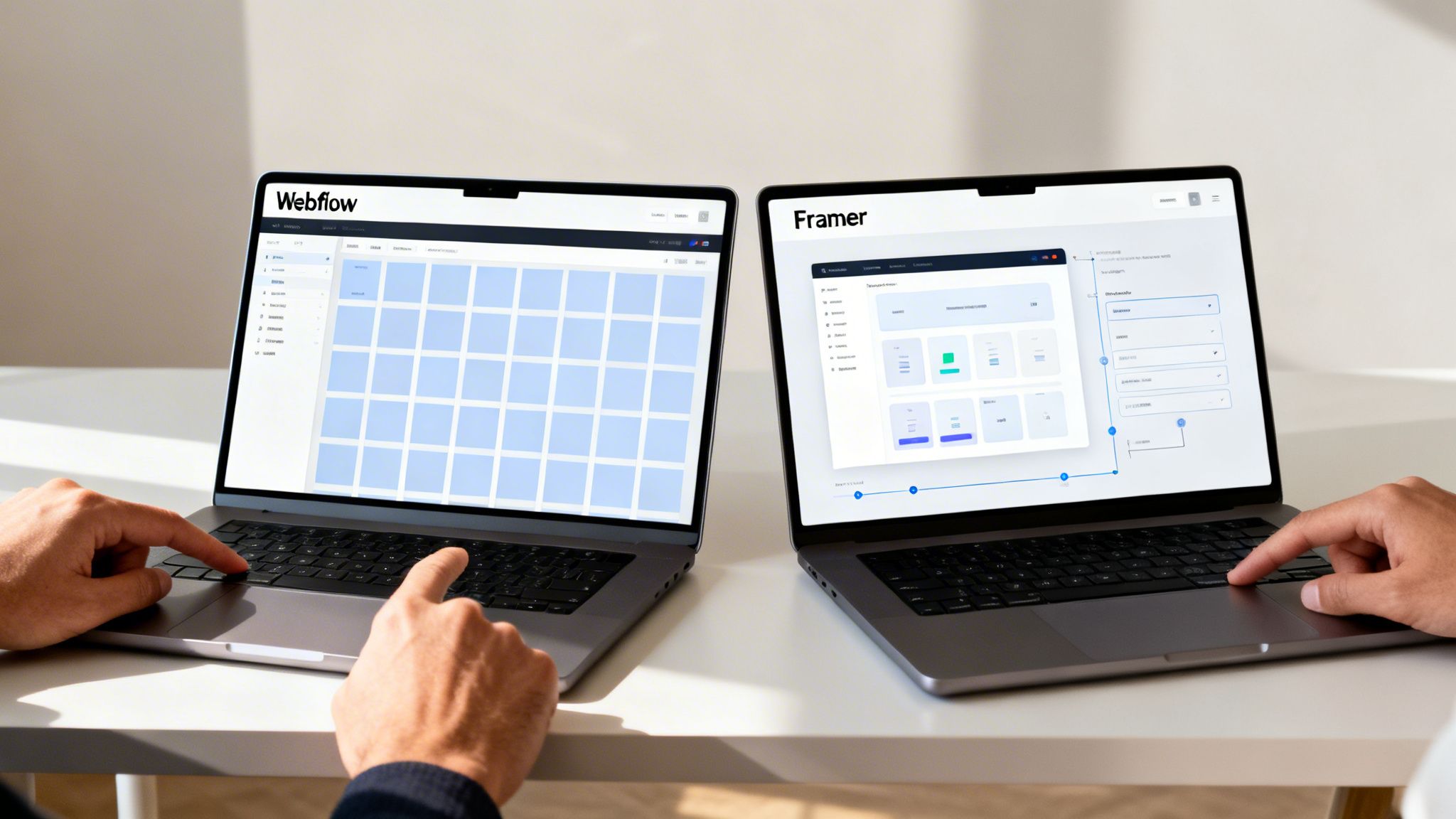
When your projects need more muscle than simple builders like Wix or Squarespace can provide, you’ll inevitably land on two names: Framer and Webflow. This is the professional tier, where designers, agencies, and ambitious businesses go when they refuse to compromise.
Both are considered among the best drag-and-drop website builders for their sheer power, but they come at web creation from entirely different directions. Choosing between them isn’t just about picking a tool—it’s about committing to a workflow that will shape your entire creative process.
The Established Powerhouse: Webflow
For years, Webflow has been the undisputed leader for designers wanting to build complex, dynamic websites without touching code. Its entire interface is a visual representation of the front-end box model, translating HTML structure and CSS styling into a powerful canvas.
If you already think in terms of flexbox, grid, and classes, Webflow feels like a superpower. It gives you incredibly deep control, perfect for intricate designs, content-heavy sites with a robust CMS, and tons of third-party integrations.
But all that power comes with a notoriously steep learning curve. To truly unlock Webflow, you have to think like a front-end developer. For designers coming from the freeform world of Figma, this can be a jarring and frustrating transition.
The Modern Challenger: Framer
Framer arrived as a direct answer to Webflow's complexity, built from the ground up for the modern designer. It completely ditches the developer-centric box model for a canvas that feels immediately familiar to anyone who’s spent time in Figma. This designer-first philosophy is its biggest strength.
The platform is also engineered for speed. Sites built in Framer are known for their blazing-fast performance and fluid animations right out of the box—a huge win for both user experience and SEO. You don't just build a site; you build a high-performance one without needing a degree in performance engineering.
While Webflow asks designers to learn a developer's workflow, Framer brings development into the designer's world. This shift is what makes it so magnetic for creatives who just want to design and ship beautiful work, fast.
The seamless Figma-to-Framer workflow is another massive advantage. You can literally copy and paste designs directly from Figma, and Framer converts them into a live, responsive website. This cuts out the tedious task of rebuilding mockups, shrinking your concept-to-launch timeline from weeks to days.
To give you a clearer picture, here’s a breakdown of how the two platforms stack up on the features that matter most to professional builders and agencies.
Framer vs Webflow Feature Deep Dive
Feature | Framer | Webflow |
|---|---|---|
Core Workflow | Designer-first. Feels like a design tool (e.g., Figma) with publishing power. | Developer-first. A visual interface for the HTML/CSS box model. |
Learning Curve | Low. Incredibly intuitive for designers. You can build and publish in hours. | High. Requires understanding web development concepts. Weeks to months to master. |
Performance | Excellent. Optimized for speed out of the box. Top-tier Core Web Vitals are standard. | Good, but requires manual optimization. Performance depends heavily on user skill. |
Animations | Fluid & simple. Built-in effects and simple controls make high-quality animations easy. | Powerful but complex. Offers granular control, but creating smooth interactions is a skill. |
Figma Integration | Seamless. Copy-paste designs directly from Figma to a live, responsive site. | Plugin-based. The Figma to Webflow plugin helps but requires significant cleanup. |
CMS | Simple & effective. Great for blogs, portfolios, and typical marketing sites. | Extremely robust. More powerful and flexible for complex, data-heavy sites. |
Collaboration | Real-time. Multiple users can design on the canvas simultaneously, just like in Figma. | Role-based. Limited to designer and editor roles; no simultaneous real-time editing. |
This table shows a clear philosophical divide. Framer prioritizes speed and an intuitive design experience, while Webflow offers deeper, more technical control at the cost of a much steeper learning curve.
The Hidden Cost of a Blank Canvas
Both Framer and Webflow are incredibly powerful, but starting a project from a blank page on either platform is a massive undertaking. Even for a seasoned designer, it’s a trap.
You’re suddenly responsible for everything:
Responsive Design: Making sure your site looks perfect on dozens of screen sizes.
Interaction Design: Crafting animations that feel smooth and purposeful, not clunky.
Conversion Optimization: Structuring layouts to guide visitors toward your business goals.
Performance: Optimizing every image, font, and script for lightning-fast loads.
Building a world-class site from scratch isn’t just design; it’s a full-blown development project that demands expertise in UI, UX, animation, and technical SEO. If you want to dive deeper, we've even created resources to help you migrate from our Webflow templates over to Framer.
The Strategic Shortcut: Professional Templates
This is where the real value of a professional template becomes obvious. Instead of spending weeks wrestling with a learning curve and technical minutiae, you start with a foundation built by experts.
A premium template from FramerDevs isn’t just a pretty design. It's a complete business asset, pre-built with best practices already baked in. You get a massive head start with:
Guaranteed Performance: Our templates are obsessively optimized for speed, helping you nail top-tier Core Web Vitals from day one.
Conversion-Focused Layouts: We design every section with a clear goal in mind, whether it’s generating leads, driving sign-ups, or making sales.
Flawless Responsiveness: Your site will look and work perfectly on every device, without you having to manually tweak hundreds of settings.
Using a professional template lets you bypass the most time-consuming parts of the process. You can harness the full power of Framer immediately and focus on what you do best—growing your business. You get the quality of a custom site in a fraction of the time and for a fraction of the cost.
How AI is Shaping the Future of Website Creation
Let's be honest, artificial intelligence is everywhere in web design now. It's not some far-off concept anymore; it’s a real tool that’s changing how we build sites. AI has moved past just writing basic text. Now it can suggest entire layouts, pick color palettes, and even give you feedback on your site's performance.
This shift is making everything move faster. The market for AI website builders is blowing up, projected to jump from USD 3.41 billion in 2026 to a massive USD 14.78 billion by 2035. You can see it already—template-based AI builders are grabbing a huge piece of the pie, proving they’re a major part of modern web design.
AI as a Co-Pilot, Not an Autopilot
Think of AI as a co-pilot, not the pilot. It can spit out a full website with text and images in minutes, which is amazing if you just need a simple landing page or a quick brochure site.
But here’s the catch: an AI-generated site is missing the one thing that actually matters—strategy. An algorithm can slap elements on a page, but it has no idea what your business goals are, who you're trying to reach, or what your brand's voice is. It assembles a website; it doesn't build a conversion machine.
AI can get a site built fast, but it can't replicate the strategic, conversion-focused foundation that comes from an expertly designed template. The real win is combining AI's speed with a human-led design strategy.
This is where you see the lasting value of professional design. An AI can’t make the small, smart decisions that create a high-performing user experience.
Why Human-Led Design Still Wins
AI is great at speeding up the build, but it works by recognizing patterns in existing data. It doesn't innovate like a human designer does. A site built by AI might look clean, but it usually feels generic and lacks the spark that makes a brand stick in someone's mind.
Here are a few things a human designer does that AI just can’t replicate yet:
Strategic Layouts: A pro designer knows how to arrange content to guide a visitor toward a specific goal, like signing up or making a purchase. This comes from understanding user psychology, something an algorithm can't grasp.
Brand Storytelling: Your website tells a story. A good designer weaves that story into every button, image, and headline, creating a real emotional connection with your audience.
Conversion Optimization: The best websites aren't built and forgotten. They’re constantly tested and tweaked based on real user data and human intuition. This is how a good site becomes a great one.
The smartest approach is a hybrid one. Use a powerful platform like Framer, which has AI features built-in, but start with a solid foundation created by experts. A premium template from FramerDevs gives you the best of both worlds.
You get a strategically designed site that’s already optimized for conversions by a professional. Then, you can use Framer’s intuitive tools to make it your own, letting AI handle the small stuff while your core strategy stays strong. This way, you skip the problems of a purely AI-generated site and launch something professional and high-performing in a fraction of the time.
Launch Faster with Professional Framer Templates

While the best drag-and-drop builders give you incredible tools, starting with a blank canvas is a huge liability for any business. It’s an open invitation to sink hundreds of hours into tasks that don’t make you money—like wrestling with responsive breakpoints, perfecting animations, and second-guessing every page layout.
This is where you need to be strategic. The real goal isn't just to build a website; it's to launch a high-performing business tool as fast as humanly possible. Instead of building from zero, a professional template gives you a massive head start.
More Than Just a Pretty Design
It’s easy to look at templates as just a visual theme, but that completely misses the point. A premium template from an expert provider like FramerDevs isn’t just a design—it’s a fully engineered product.
Our templates are performance-tuned and conversion-optimized right out of the box. We obsess over the tiny details you don't have time for, ensuring every element is built to work flawlessly from day one. You're not just saving time; you're buying a better result.
The Real Business Benefits of Using a Template
Choosing a professional template is more than a convenience. It’s a smart business decision that delivers a clear and immediate return on your investment.
Here's what you get instantly:
Expert-Level UI/UX: Our templates are built on proven user experience principles. Your site will be intuitive and easy for visitors to navigate, right from the start.
Guaranteed Performance: We obsessively tune every template for top-tier Core Web Vitals. Your site will be incredibly fast without you ever running a performance test or touching a line of code.
Flawless Responsive Design: Stop wasting days tweaking layouts for mobile, tablet, and desktop. Our templates are designed to look and work perfectly on every screen size, period.
Starting with a professional template is the smartest shortcut in web design. It lets you skip the steep learning curve and technical headaches, so you can focus on your business instead of getting stuck in the build.
Turn Your Website into a Growth Engine
Your website should work for you, not the other way around. A premium template turns a months-long project into a weekend task. With a rock-solid foundation already in place, you can put your energy where it actually matters: marketing your products, serving your clients, and growing your business.
At FramerDevs, we believe a great website is the engine of modern business. That’s why we build assets that help you launch faster and see better results. To see how a pro design can speed up your next project, explore our full library of Framer templates and find the perfect one for your niche. Starting with a polished, conversion-focused site means you’re not just launching faster—you’re launching smarter.
Frequently Asked Questions
When you're deep in the world of drag-and-drop builders, a few key questions always come up. Here are the straight answers to help you make the right call for your business.
Is It Better to Build from Scratch or Use a Template?
The blank canvas is tempting. It feels like total creative freedom, but for most businesses, it's a trap. Building a site from zero demands a deep bench of skills—UI/UX design, conversion strategy, and performance optimization—that most teams just don't have in-house.
This almost always leads to a longer project and a website that simply doesn't perform. A professional template, on the other hand, is a massive strategic advantage. You’re starting with a foundation that's already been optimized for speed, conversions, and a flawless responsive design from day one.
Choosing a premium template isn't about cutting corners. It's a smart business decision that turns a months-long development headache into a weekend project, letting you focus on growth, not technical debt.
It allows you to launch an expert-built site in a fraction of the time. For most businesses, using a high-quality template is the clear winner.
Are Drag and Drop Builders Good for SEO?
Yes, but with one huge caveat: the platform you choose matters more than anything. Older builders like Wix are notorious for producing bloated code that can drag your site's speed down, and a slow site is an SEO killer for Google.
Modern platforms like Framer were built from the ground up with performance in mind. They generate clean, lean code and handle complex technical optimizations automatically, helping you crush your Core Web Vitals scores without writing a single line of code. Because speed is such a critical ranking factor, a performance-first builder gives you a serious SEO head start.
Can I Migrate My Website from Wix to Framer?
There's no direct "import" button to move from a closed ecosystem like Wix to a professional tool like Framer. It requires a full rebuild, and while that sounds intimidating, it’s actually a golden opportunity to upgrade your site’s performance, design, and user experience.
This is exactly where a professional Framer template shines. Instead of rebuilding every single page from scratch, you can grab a template from a provider like FramerDevs, plug in your content, and launch a far superior website in a couple of days. This strategy lets you bypass the learning curve and guarantees your new site is built on a rock-solid, expert-vetted foundation.
Ready to skip the learning curve and launch a stunning, high-performance website? At FramerDevs, we offer a library of premium, conversion-optimized Framer templates that give you an expert-level site in a fraction of the time. Explore our templates today and discover the smarter way to build.



